Load Combination Dialog Box
A Load Combination contains the data of multiple Loads which act on a structure simultaneously. Many analysis programs use Load Combination data to calculate the effect of these multiple Loads, using various factors and multipliers.
Load Combinations in Archicad are used for compatibility with these analysis programs. Within Archicad, they function only to store and manage data (not for calculation purposes).

Open the Load Combination dialog by doing one of the following:
The project’s Load Combinations are listed on the left.
Each selected Load Combination’s settings are shown on the right, and its Load Cases are listed with Factor and Multiplier data.
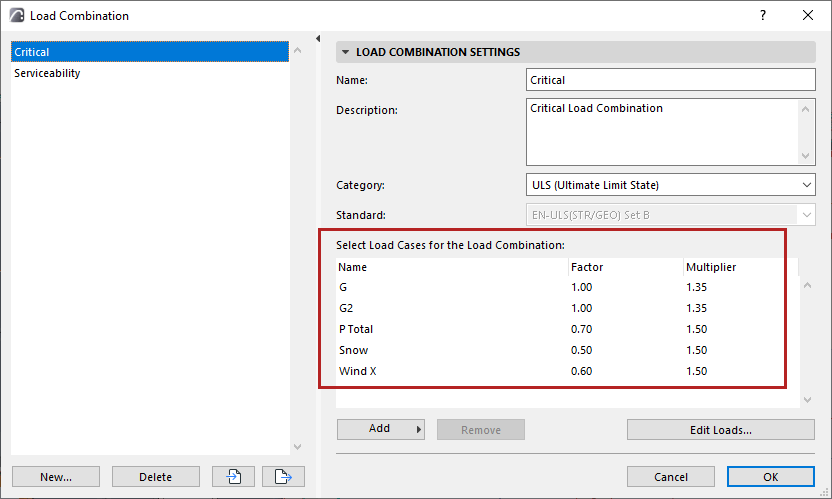
Load Combination Settings
Name
Each Load Combination must have a unique name.
Description
Optionally, enter any further information here to guide the user
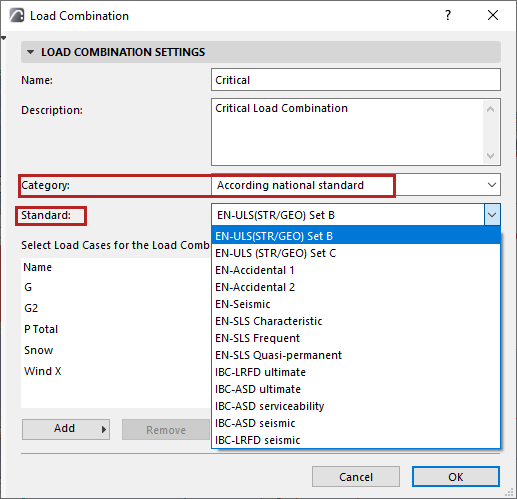
Category
Choose from the pop-up:
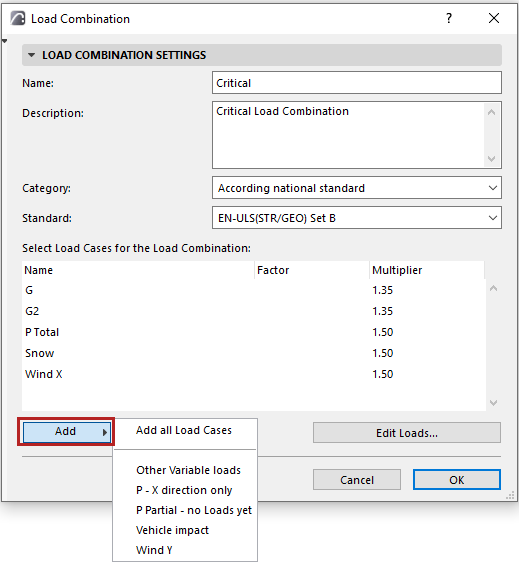
Add Load Case
Any Load Case in the project can be included in a Load Combination (regardless of its Load Group)
At the bottom of the Load Combination dialog, click Add:
Edit Loads...
Click Edit Loads to open the Load Manager.
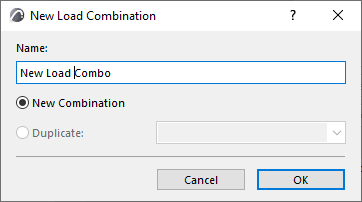
Create New or Duplicate Load Combination
Import and Export Load Combinations
In the Load Combinations dialog, use the Import-Export buttons to transfer Load Combination data.