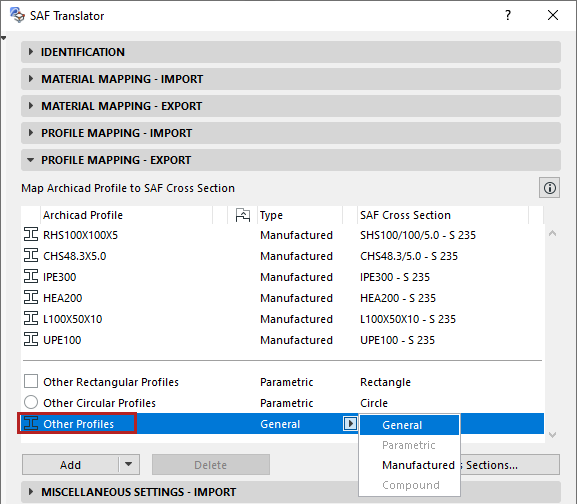
Default Mapping for Exported Cross Sections
- Rectangular and circular (solid) Beams and Columns are handled automatically by the “Other Rectangular Profiles” and “Other Circular Profiles” default rules: They are converted to “Parametric - Rectangle” or “Parametric - Circle” SAF Cross Sections, with their actual dimensions (height/width or core diameter). (Their materials are defined based on the Material Mapping panel.)
- Rectangular or circular profiles which are hollow (tubular) are handled as “Other Profiles”.
- The “Other Profiles” default mapping rule applies to all other exported Complex Profiles that have no specific mapping. Its default Type can be either “General” or “Manufactured”.