Hotlink Rhino File
- As when placing any other Hotlink, use File > External Content > Place Hotlink.
- From the New Hotlink Module dialog, choose the Rhino 3D Model (*.3dm) format, then click Options.
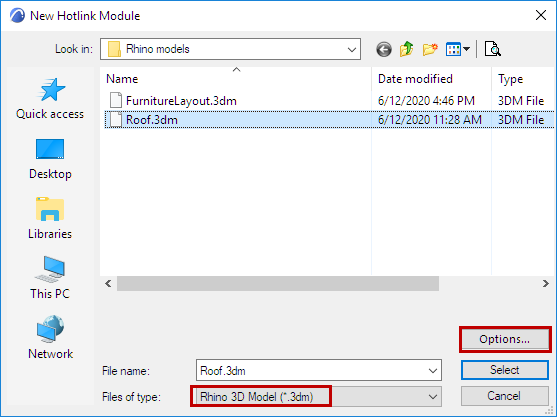
- The Rhino Import Options dialog appears.
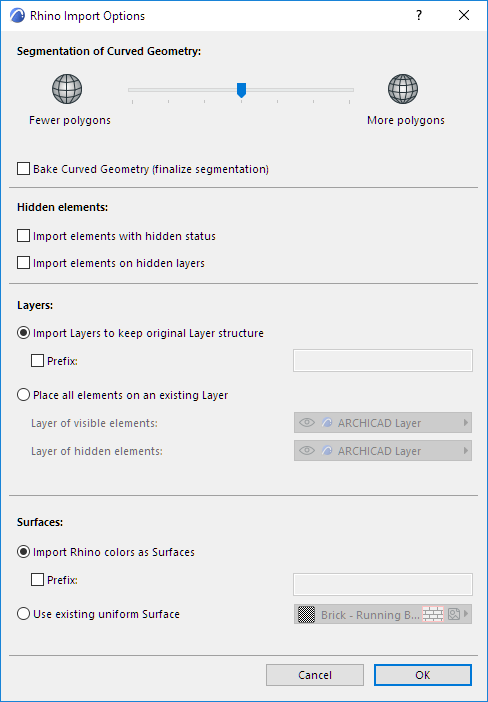
These are the same options as when opening/merging a Rhino model:
- After setting the Import Options, click OK to return to the New Hotlink Module dialog.
- Select the newly created Rhino-based hotlink, and click Select to return to the Place Hotlink dialog box.
- Follow the usual procedure for placing and managing this Hotlink. The Hotlink will be placed on the currently opened story in Archicad.
See Place Hotlink for an overview of this process.
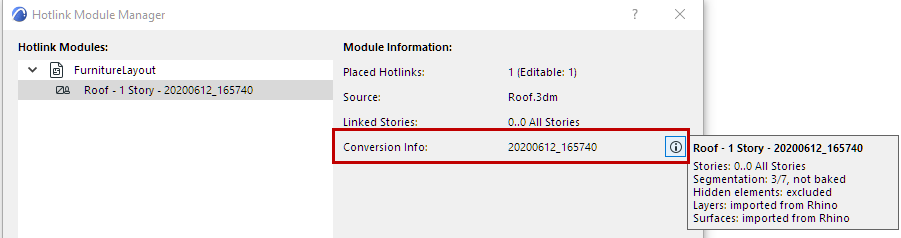
Check Import Settings of Hotlink Module
Each Rhino-based Hotlink Module can have its own import settings. To see the hotlink’s settings (or Conversion Info):