Open IFC Model
Follow these steps to import IFC data using the Open process.
- Use File > Open.
- Select the IFC File Format.
- Choose the IFC file to import.
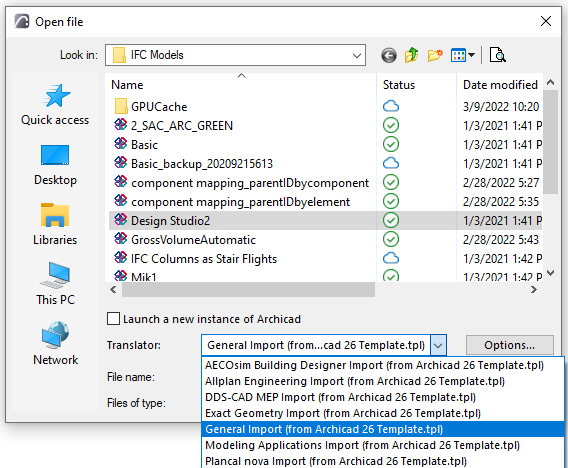
- Use the drop-down list to choose among the IFC Translators.Note: In the Open IFC process (just like the Place IFC Hotlink process), the file is imported based on an IFC Translator for Import, from a Template file selected by you.
For each listed Translator, its parent Template is shown in parentheses. If the Translator you need is not shown, you may need to search under a different template (see next step).
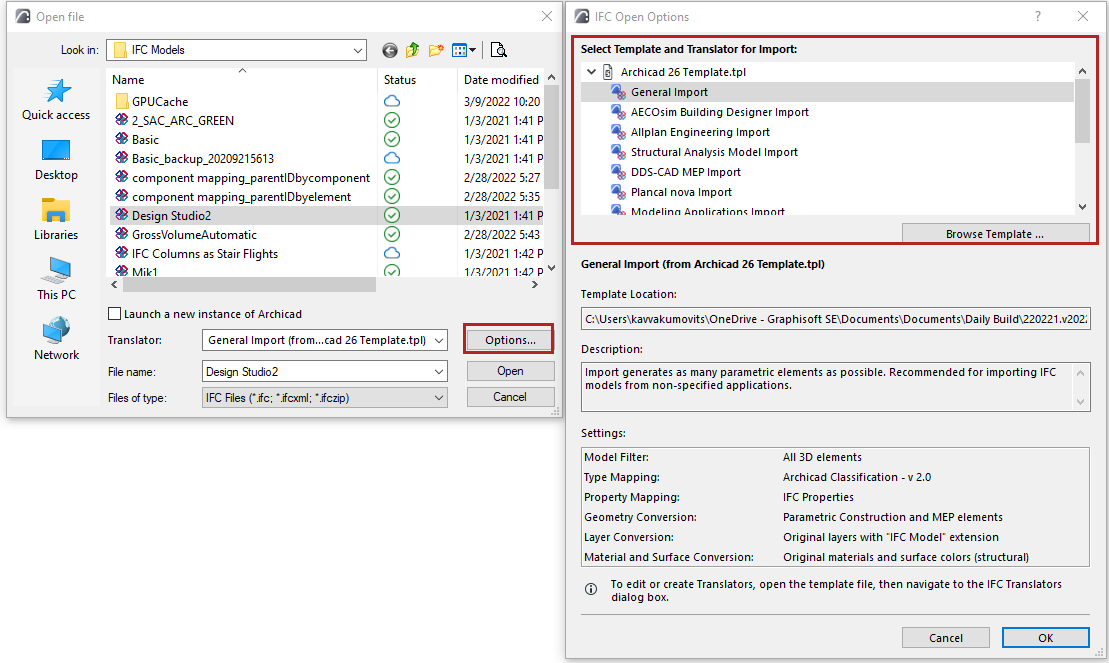
- From the Open dialog, click Options to see IFC Open Options.
Here, each loaded template is shown together with its Translators, location, and presets. Choose a Translator from one of the templates and click OK, or click Browse Template to load another one.
- Click “Open” to import the IFC model based on the selected Translator. Additional steps follow, depending on the type of imported model.