Transformer
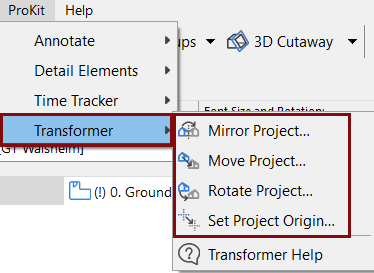
Use the commands of the Transformer tool as a one-click solution to mirror, move, or rotate an entire project (including sections, elevations and layouts), or reset the Project Origin.
Find the commands in the ProKit > Transformer menu:
Advantages of ProKit Transformer compared to standard commands
You can carry out these functions using the standard Mirror/Move/Rotate commands in Archicad, but they can result in some major clean-up issues:
- All annotations in section and elevation views will end up in the wrong place and the wrong way around. The difference can be extreme and difficult to fix.
- All cropped project views embedded in layouts will show the wrong part of the drawing and may be entirely blank. This will necessitate viewing the whole drawing, re-cropping and repositioning.
Anyone working routinely with template projects will find this a huge chore, to the point where it can be easier to store multiple versions of the project rather than repeat the mirroring exercise multiple times - which can cause problems in synchronizing changes.
Set Project Origin: The standard Archicad functions do not provide any solution for resetting the Project Origin, which is fixed. However, if you start collaborating with a team, or if the project development requires it, you may wish to reset the Project Origin.
The ProKit Transformer tools provide a valuable time-saving solution to these issues.