Export roles
Use this to transfer roles to a different BIMcloud, or as a backup
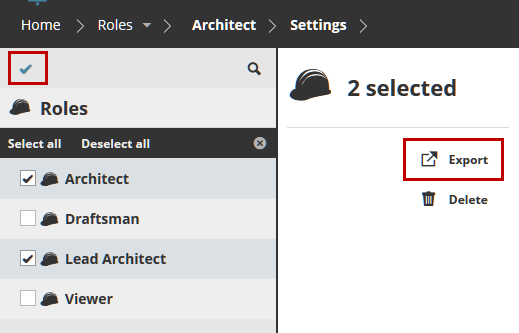
- Select the role(s) you wish to export.Note: To multi-select items in the Navigator, activate the checkboxes by clicking the checkmark at the top of the page.
Click Export.
Data for all the roles you are exporting will be placed into a single file and downloaded into your browser’s default download folder, with extension.bimroles.