Create or duplicate user group
Create or duplicate a user group on BIMcloud
Create user group
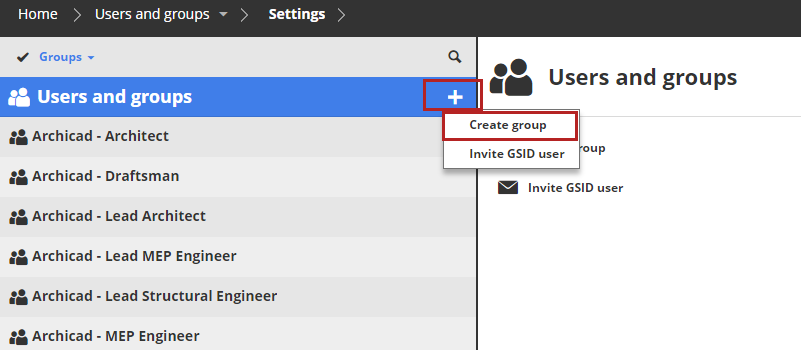
On the Users and groups page:
Click the plus-sign pop-up and choose Create Group. (If the Users and groups root is selected, you can also choose the command from the Summary panel.)
Enter the name of the group in the dialog and click Create.
- It cannot be empty
- It cannot contain any of these characters:
<>:;?"*|/\ - It cannot end with a period (
.)
The Group settings panel will open; you can start to add members to your new group.
Use the Access panel of the BIMcloud items to grant a Role to a User or Group for the currently selected item (e.g. Project Root, Folder, or Project).
Access granted at a higher level of the folder hierarchy is inherited downwards by all of its child elements.
See Grant access
Duplicate user group
Select the existing user or group, then click Duplicate.
Members of the original group are automatically included in the duplicate group.

Give the duplicate group a new name.