Monitor BIMcloud activities
Keep track of what is happening with projects, users, and servers
Check the Activities panel, available for:
Projects, Project folders
Users, Groups
-
Servers
The available filters and columns vary depending on the content type.
Filter Activities Data
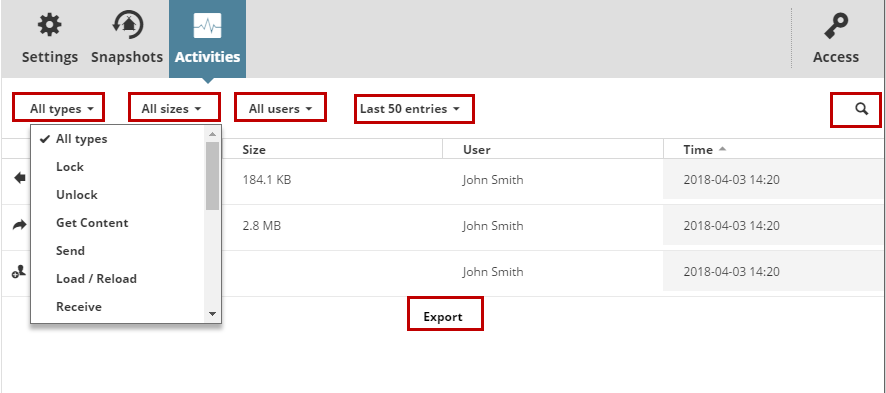
Activity Type: Choose one or more activity types to display its info.
Size: Filter the activities by the size of the data event.
User: Choose a user from the list to display his/her activities only.
Project: Choose a project from the list to display related activities only.
Range: Limit the list of displayed activities. You can list the last 50 events, or list events from a specific a date/time range. (Maximum date range: the last 30 days)
Search: Type any text to search for it.
Load more/Load all: If the list does not contain all the possible elements, use these buttons at the bottom to expand the list.
If a filter has been set, that column name is shown in blue. To cancel a filter, select All from its options again.
Click Export All at the bottom to download all entries, in CSV format, to your browser’s download folder. (Maximum export size: 100,000 lines)
Depending on the amount of activity data, the export process can take more than a minute.