Convert a BIMcloud Project into a folder
Organize files in a regular folder instead of BIMcloud Project
From the Projects page of BIMcloud Manager:
Select the BIMcloud Project
Click Convert to folder.
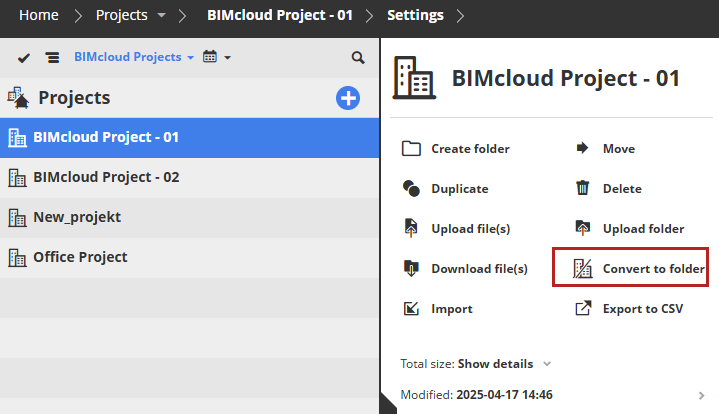
Converting a BIMcloud Project to a folder means that its Teams and related access definitions will be lost. (Teams are relevant only to BIMcloud Projects - they have no meaning for regular folders or other items on the BIMcloud).