Create a public link
You can send a public link (for a file, folder, or BIMcloud Project) to an external collaborator. They can download the shared content without a BIMcloud user account. If the files are updated to a new version, those updates will be reflected on the link.
To enhance security, your BIMcloud administrator may require a password, an expiration date, or both for public links. If a password or expiration date is not required, you can still choose whether to add it when creating or editing the link.
The recipient will need to enter the set password to open the link. Once the link expires, the shared content becomes inaccessible.
- To create a public link, you must have the Modify details permission on the item
- If you create a public link to a folder or BIMcloud Project, the shared content will include only the items visible to you
- Go to the Projects page of BIMcloud Manager.
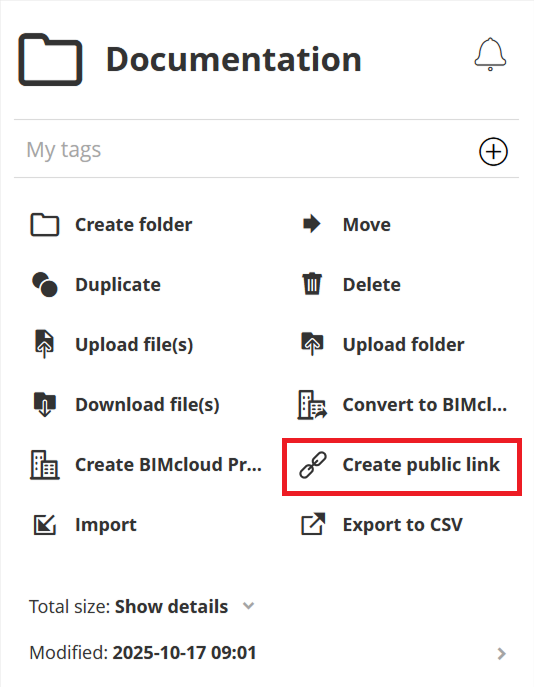
- Select a single item in the Projects tree and click Create public link.
- Set a link password to protect your shared content. Depending on your BIMcloud configuration, the password might be required.
- Set an expiration date and time to limit how long the public link is available. Depending
on your BIMcloud configuration, the expiration date might be required.
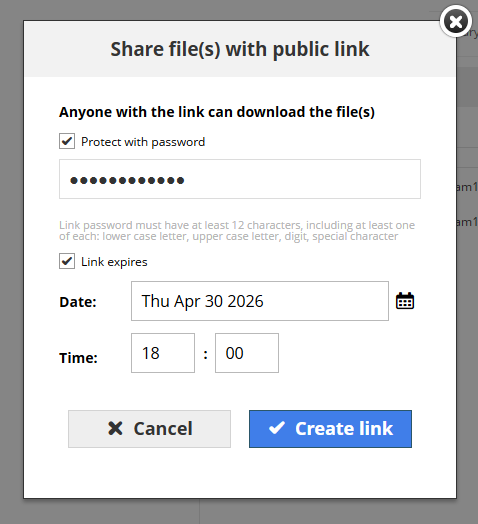
- Click Create link.
- The created public link URL will be shown. Click Copy to clipboard to easily share the link.
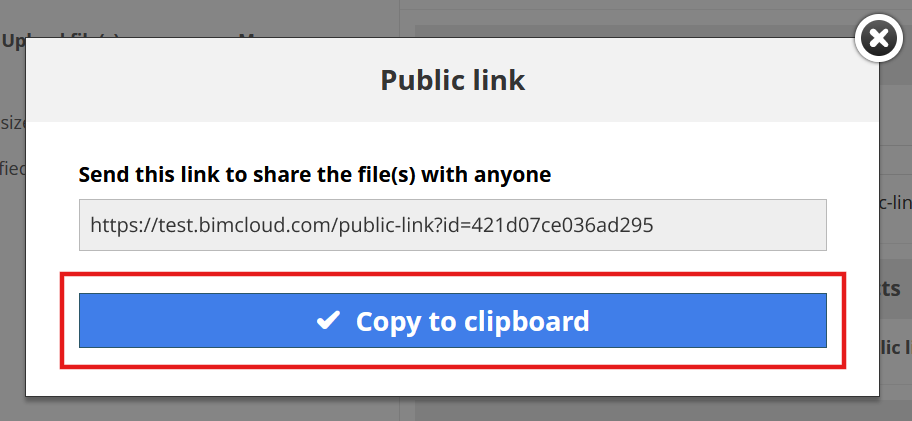
You can create multiple public links for each item to share with different stakeholders. Each public link uses a unique randomized URL. On a BIMcloud hosted by you, public links use the primary address of BIMcloud Manager.