Manage all public links across BIMcloud
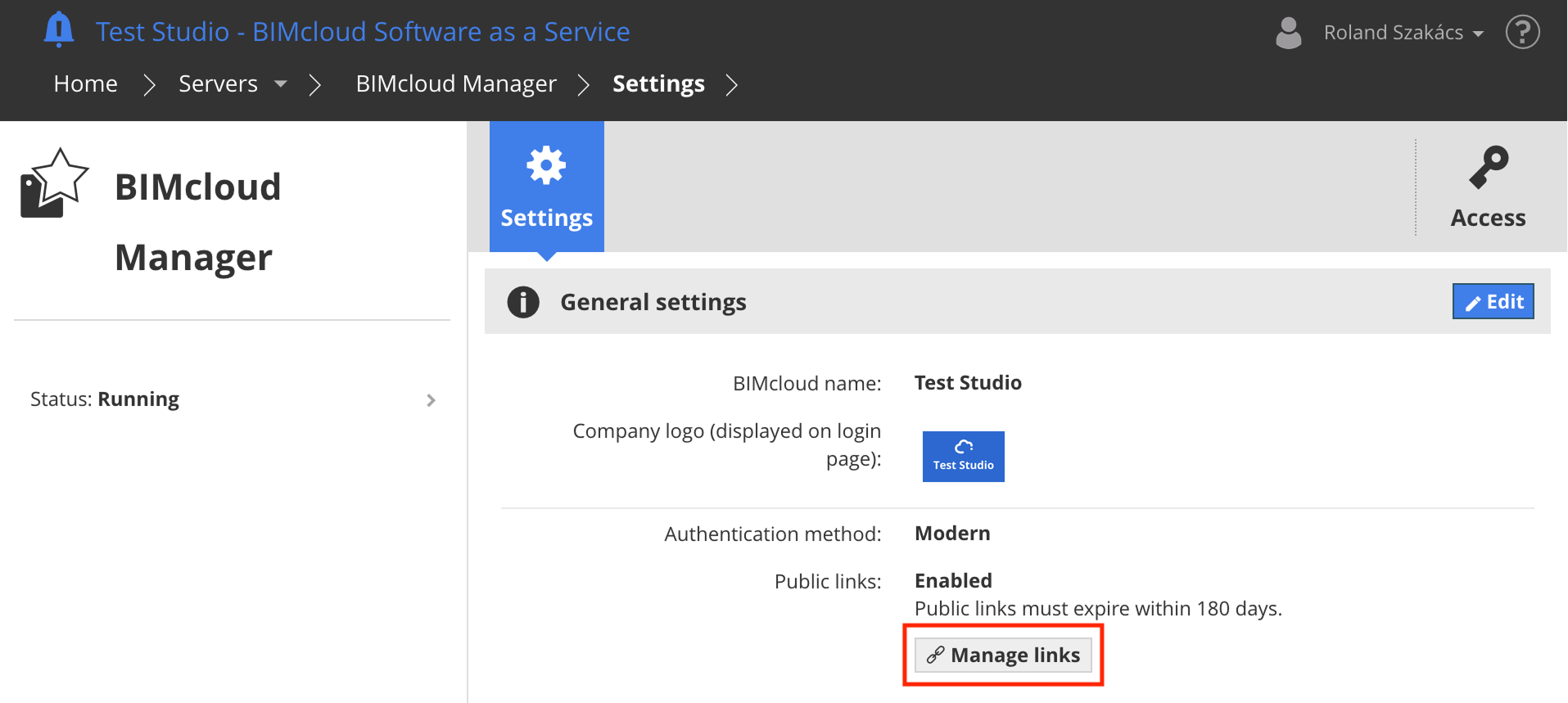
Use the Manage links button in Servers > BIMcloud Manager > Settings > General Settings to review every public link created on your BIMcloud. This view lists all public links from all users.
From this view, you can open, edit, or delete any listed public link, for example to shorten its lifetime, add a password, or remove it entirely if it should no longer be available for external collaborators.
- You need View item permission on BIMcloud Manager to see the public links settings
- Public links are only listed if you have View item permission for the link content
- To edit or delete a public link or copy its password, you also need Manage Access permission for the link content
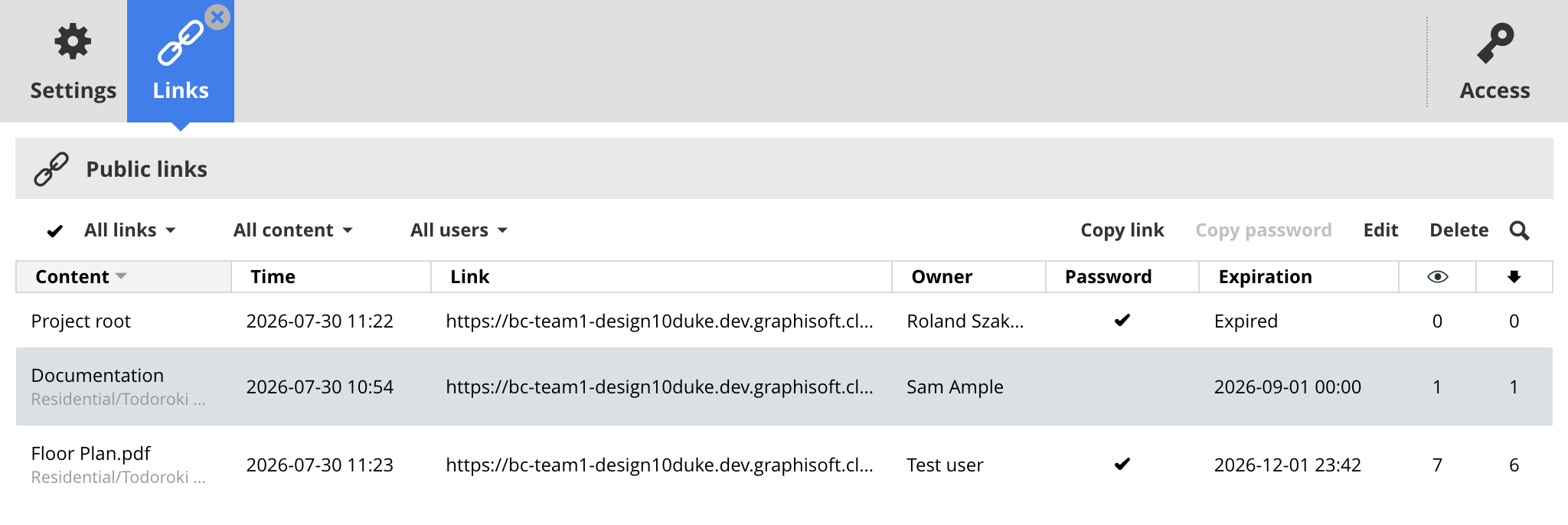
The following data can be seen for each public link:
- Content: Name and path of a shared file, folder or BIMcloud Project - click to navigate to it.
- Time: Time of public link creation
- Link: The URL that directs to the shared content - click to test the public link in a new tab.
- Owner: Name of BIMcloud user who created the public link
- Password: Whether the public link is protected by a password - click to copy the link password.
- Expiration: Expiration date (if any) of the public link, or whether the link has already expired
- Visits: Number of times the public link has been accessed
- Downloads: Number of times a download has been started on the public link
You can filter public links by their protection status by clicking All links, then selecting a different filter. If you have changed the public link creation rules in the public links settings, you can find existing links that do not match the rules by choosing the Links not matching rule(s) filter.
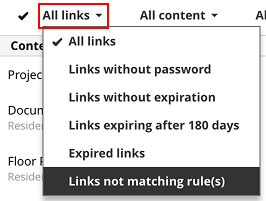
You can also filter for Expired links. After a public link has expired, it is inaccessible and is deleted after 30 days. Access to already expired links can be extended by clicking the link’s row and using the Edit function.
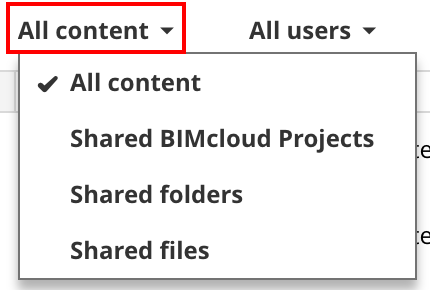
To filter public links by the type of content, click All content and select file, folder or BIMcloud project.
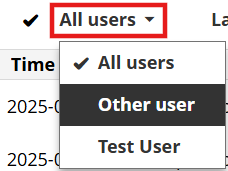
To find public links created by a particular user, click All users and select the user.
To select a single public link: Click anywhere in the link row
To select multiple links: Enable the checkmark icon, then check the links you need
Available functions:
- Copy: Copy the URL to the clipboard
- Copy password: Copy the link password to the clipboard
- Edit: Change the link password or expiration
- Delete: Remove the public link - this action revokes access to third parties