Public link guest interface
When someone clicks a public link, they are taken to a guest interface. No account is required to access the shared items. For password-protected links, the shared content is not visible until the recipient enters the password.
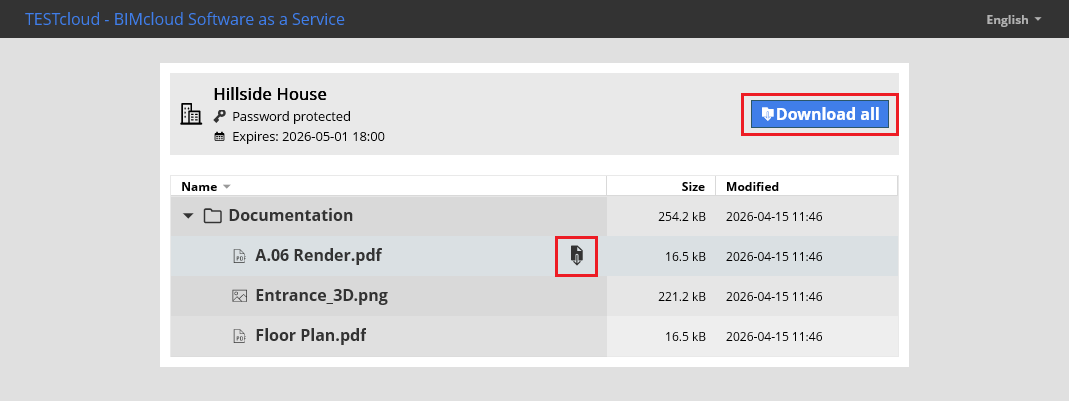
The shared content’s name appears at the top, along with a download button.
Guests can see the following data for each item:
- Name: The content name and type icon
- Size: File size or total folder size
- Modified: Time of upload or last modification
If the public link contains multiple files/folders, they appear in a list.
Download all content as a .zip file using the Download all button.
Download a single item by clicking the Download icon on a single item.
If the public link is deleted, if the link expires, or if the link owner loses access to the shared content, the link will no longer work. Only the BIMcloud instance name will be shown, and the content will not be accessible.