User data synced from Graphisoft company account
BIMcloud SaaS with cloud license
To work on BIMcloud SaaS with cloud licenses, each user must be a member of your Graphisoft company account.
When a user is invited to your Graphisoft company account, their user data will be automatically synced to BIMcloud SaaS, and the user appears on your BIMcloud user list.
Syncing takes place periodically, and also each time the tenant owner logs in to BIMcloud.
User name requirements
To ensure a successful sync from the Graphisoft ID company account, each user’s Graphisoft ID user name must follow these rules:
- Do not use a period at the end of the name
- Do not use non-printing or special characters such as <>:;*?"|/\
User names with unrecognized characters will not be synced.
Users can edit their personal Graphisoft ID profile at id.graphisoft.com
What is a “pending user?”
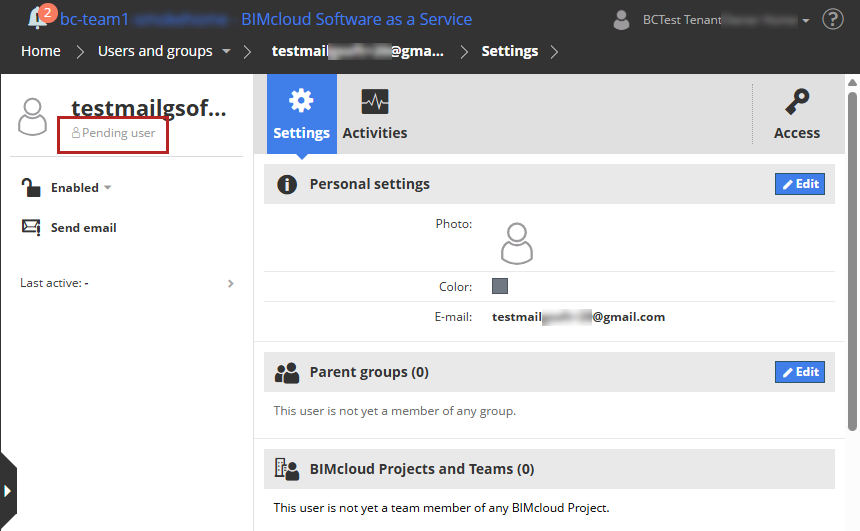
Even for “pending” users, the BIMcloud admin can go ahead and assign permissions, user group memberships, and other settings - no need to wait until the invitation is accepted.
Once the user accepts the invitation, they can start collaborating immediately.