Why the results differ
With the same target of 30% one-bedroom Units and 70% two-bedroom Units, Ratio by Area and Ratio by Quantity can produce different results because the Unit types have different sizes.
|
One-bedroom units: 30% Two-bedroom units: 70% |
|
|
|---|---|---|
|
One-bedroom Units |
5 |
4 |
|
Two-bedroom Units |
9 |
10 |
|
Total Units |
14 |
14 |
|
One-bedroom share by quantity |
35.7% |
28.6% |
|
Two-bedroom share by quantity |
64.3% |
71.4% |
|
One-bedroom share by area |
28.6% |
22.2% |
|
Two-bedroom share by area |
71.4% |
77.8% |
|
Total residential area |
900 m² |
900 m² |
Ratio by Area prioritizes the floor-area split. Ratio by Quantity prioritizes the Unit-count split.
Creator rounds calculated quantities to whole Units. Because Units cannot be fractional, the final calculated ratios may differ slightly from the target ratios.
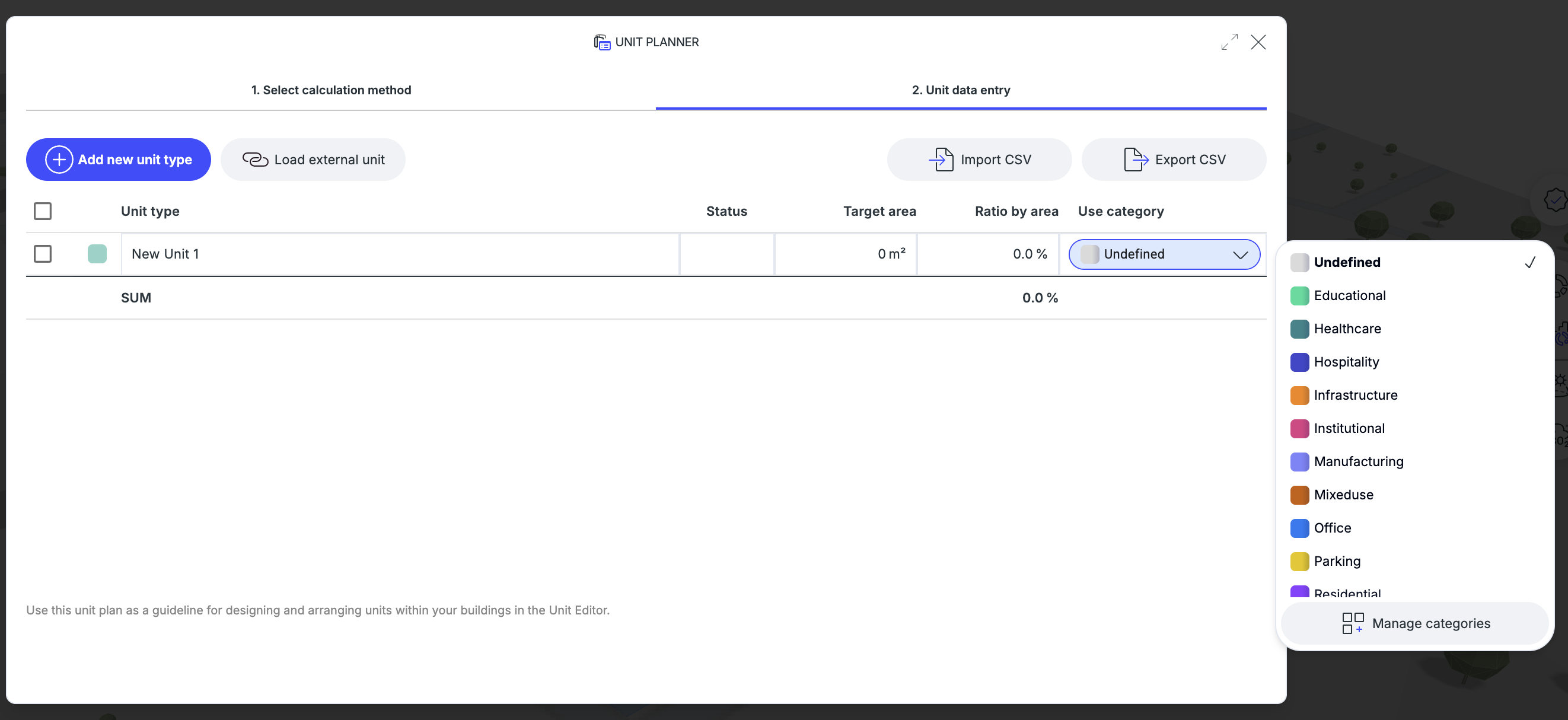
Add a Unit Type
- Click
Add Unit TypeAdd Unit Typeto create a new unit type. - Enter a Unit Type name, such as Studio Apartment, Office, or Meeting Room.
- Select a
CategoryCategoryto define the unit's intended use. Categories help organize units in schedules, metrics, and visualizations. - If the required category is not listed, click Manage Categories to create a new one.
- Enter the
Target AreaTarget Area, which defines the planned area for a single unit. - If you are using Ratio by Area or Ratio by Quantity, enter the required percentage share for the unit type.
- If the unit type is linked to Project Hub, check the
StatusStatusfield to see whether the external unit isUp to DateUp to Date,ChangedChanged, orDeletedDeleted.
Load external unit
Create units in Archicad and sync them to your conceptual model. Use Archicad modules as units. Select Load External Unit to import modules from the server where Archicad uploaded them into the Unit Planner.
Read more about External Units
Import / Export CSV
You can export your Unit Plan as a CSV file. Use this file to edit the unit mix outside Creator or to reuse the same Unit Plan in another project. This is helpful when you work with larger or more detailed Unit Plans.