MacOS: Enable Full Disk Access
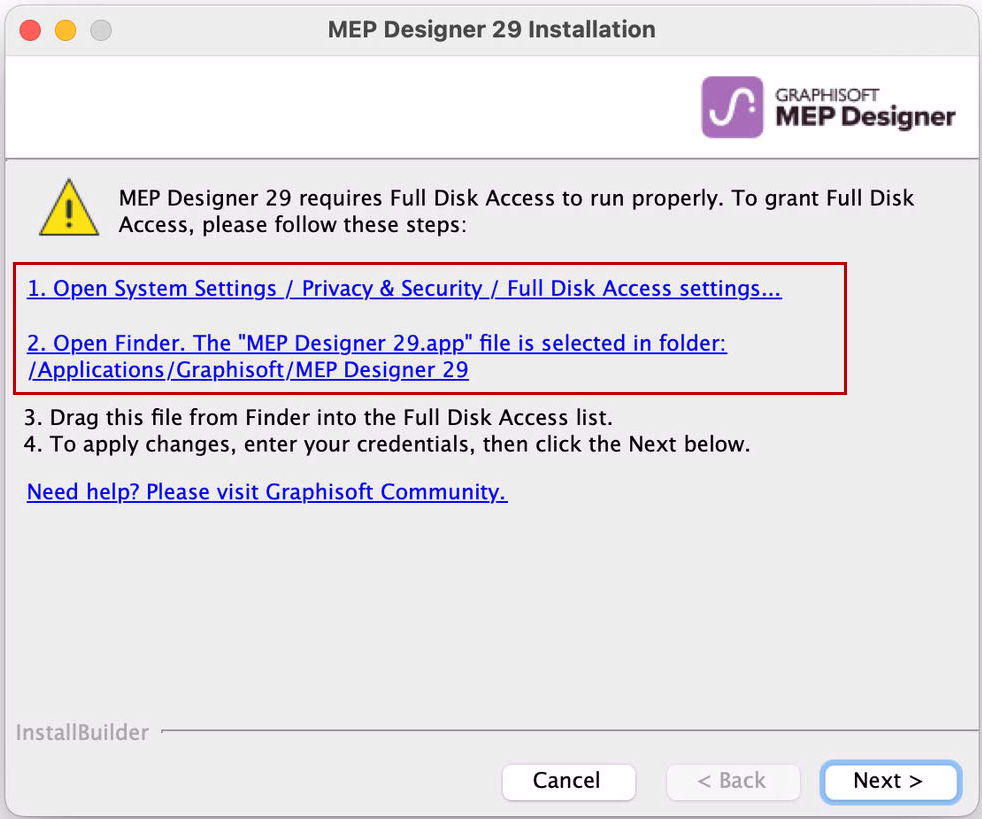
When installing or updating MEP Designer on a macOS, you will see a warning: for MEP Designer to run properly, you must enable Full Disk Access in macOS settings.
Follow these steps:
1.In the MEP Designer Warning dialog, click the link: Open System Settings/.../Full Disk Access Settings.
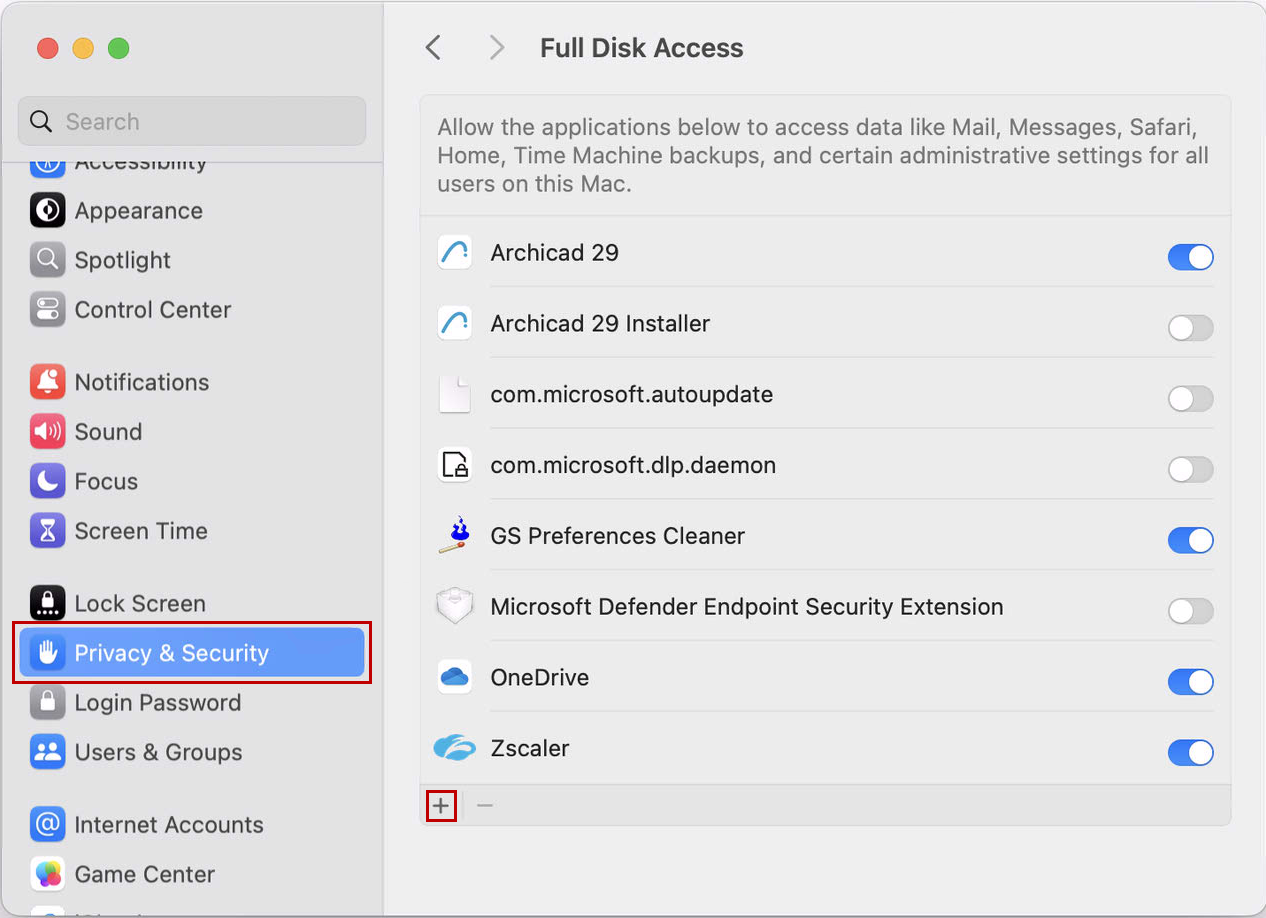
2.At the bottom of the list, click the Plus sign. You may need to enter a password.
3.Navigate to Applications > Graphisoft > MEP Designer Folder > MEP Designer Application.
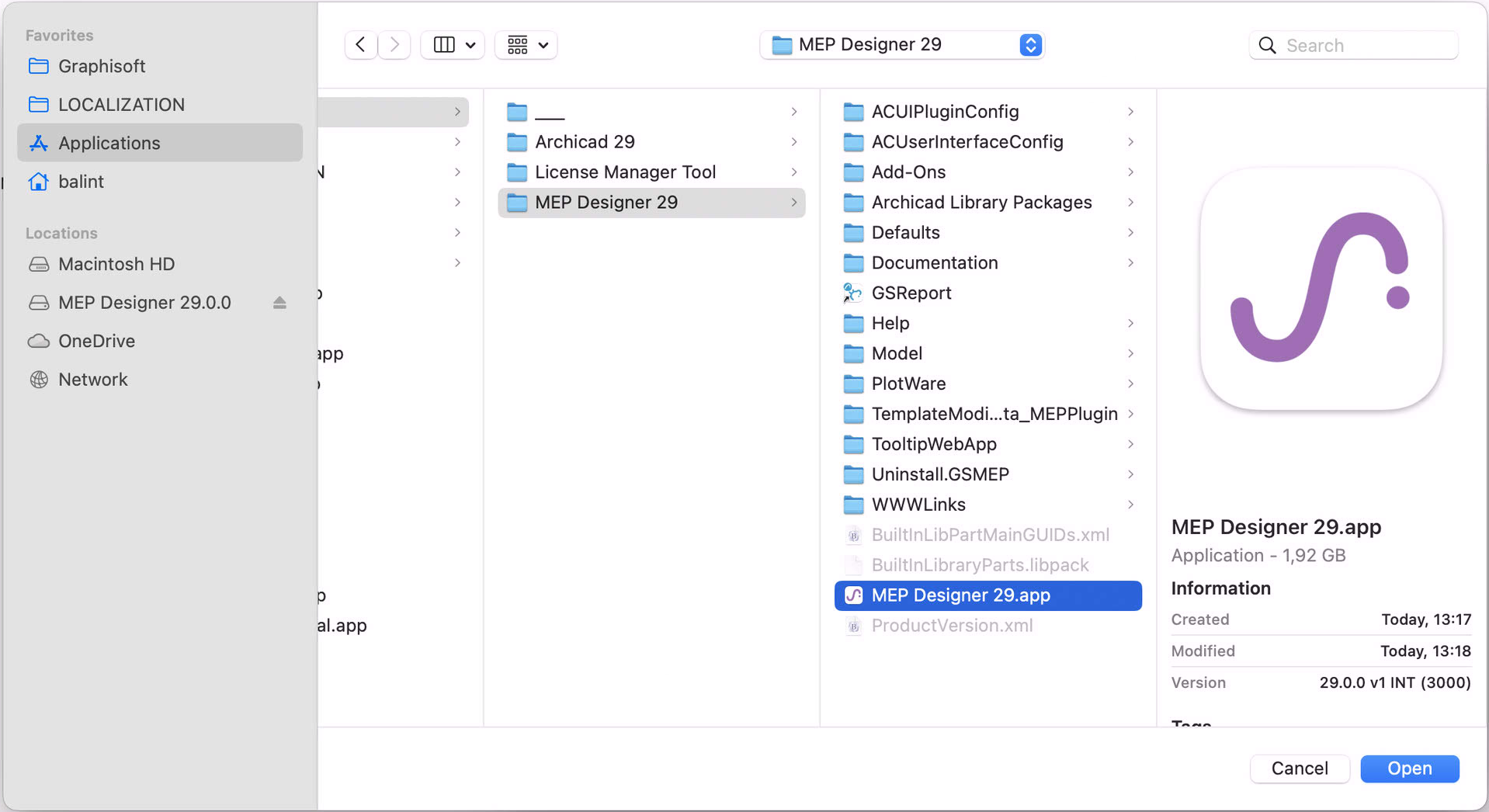
4.Click Open or drag and drop to add it to the list.
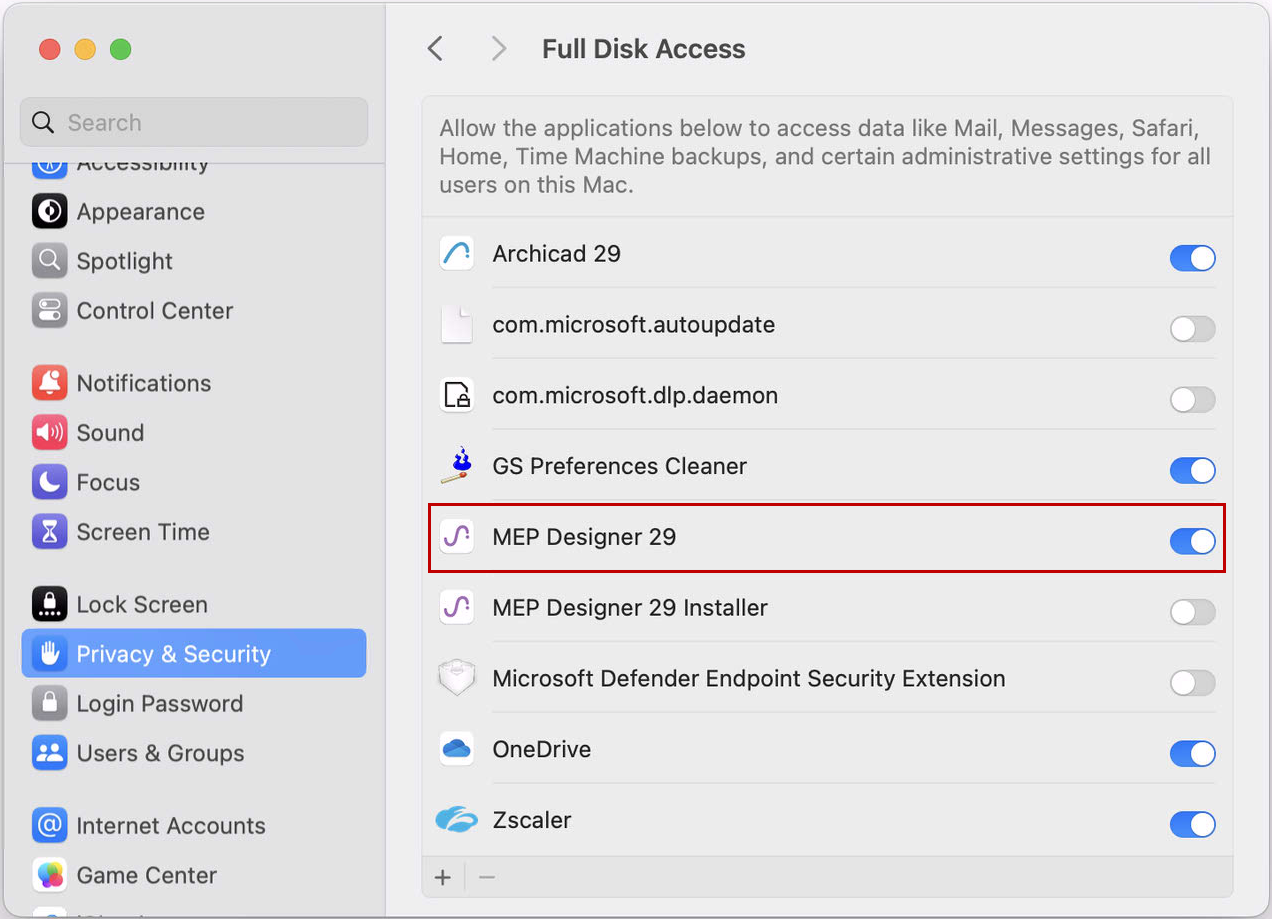
5.Return to the MEP Designer Installer and click Next to continue.