
The Hydronics Optimizer resizes all heating pipes based on minimum and maximum diameters, as well as minimum and maximum velocity.
•Select routes to resize, then open Hydronics Optimizer (MEP toolbar, or Window > Palettes)
•Define value ranges for pipe dimensions and velocity, then click Resize
Use this dialog after you have defined hydronic systems and checked calculations in the System Browser.
1.Open Hydronics Optimizer from the MEP toolbar, or Window > Palettes
2.Select one or more pipe routes for resizing. The dialog tells you the number of selected and editable elements.
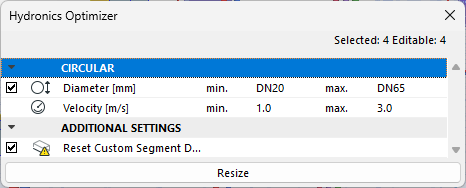
Note: A route may be non-editable if its layer or element is locked.
3.Check the dimension types that you want to resize.
–Check whether to include any custom segments in resize operation, too.
–Uncheck the dimensions you want to leave as-is.
4.Define value range for pipe diameter.
5.Define value range for velocity based on their specific requirements for minimum and maximum values.
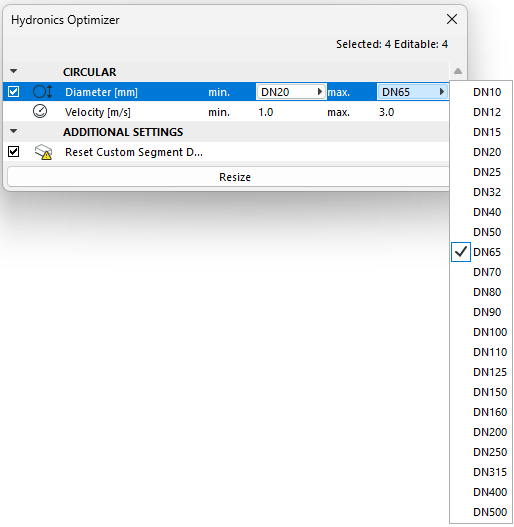
Note: To set a fixed value instead of a range, enter identical values for min. and max.
6.Click Resize.
–Check the feedback for results - if it says that nothing was resized, then your routes already fit in the limits set in the Hydronics Optimizer.
–If the Resize button is grey, you have no selected or no editable routes