Getting Help
MEP Designer provides help at your fingertips right inside the program.
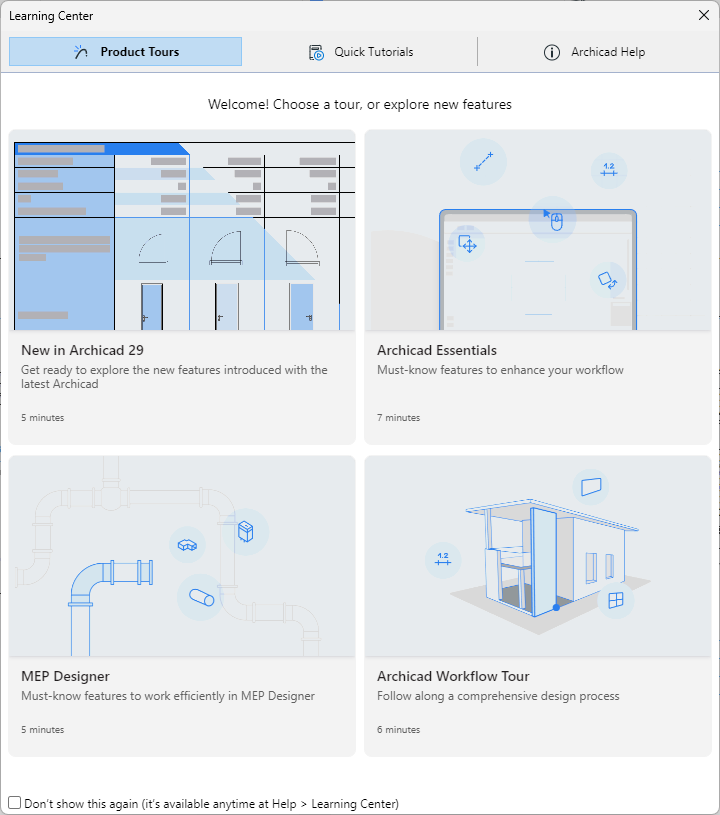
Learning Center
Check out product tours and tutorials to get up and running. Reach the Learning Center when you start the program, or anytime from the Help menu.
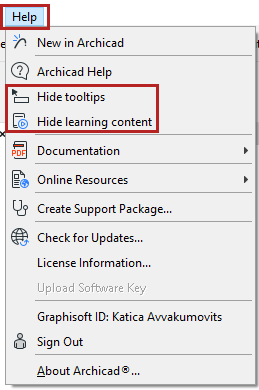
Tooltips and mini-tutorials
Online Help
Go to Help > MEP Designer Help
AI Assistant
The AI Assistant is built directly into MEP Designer to help you learn faster, navigate documentation effortlessly, and interact with your model using natural language.
Available with a cloud-based license. AI features may vary, depending on your subscription plan.
PDF Reference Guide
Click here to access in PDF format.
Graphisoft Support
Need more in-depth resources to resolve your question? Visit our Support Site for troubleshooting and assistance.
Context-Sensitive Help
Do one of the following:
- Press F1 (Windows) or Cmd+? (Mac)
- Right-click on any user interface element and choose the ‘What’s this’ command
The Help will open to a topic relevant to the interface item you have clicked. (In some cases, the Help will open to its starting page.)
Graphisoft Community
Knowledgebase articles, tutorials and videos are available at Graphisoft Community.
Download Offline Help
When you do have an internet connection, click the links below to download the files (either the PDF, or the ZIP file, or both). That way, you will be able to access the Help even while working offline.
MEP Designer Help (PDF document)
Download the PDF to your computer.
Help in ZIP format (for context-sensitive Help)
Follow these steps carefully to enable context-sensitive Help while working offline:
- Download Help.zip to your computer and unzip it.
- Go to the MEP Designer installation folder and open the Help folder: (for example: Program Files/Graphisoft/ MEP Designer /Help.)
- Within the Help folder, open the MEP Designer folder.
- If this folder contains a Files folder, delete it. (If not, continue.)
- Go back to the new Help folder you just downloaded and unzipped, and open it.
- From there, move the Files folder into the Help/ MEP Designer folder.
- Now you can start the program and access the help in offline mode.
Offline help for Safari users
The Safari browser is not supported.
However, if you are still using a Safari browser (v. 11 and later), follow these steps in order to view the offline Help.
Additional Resources
- GDL Reference Guide
This manual is a complete reference to Graphisoft’s proprietary scripting language, GDL (Geometric Description Language). Available at Help > Online Resources.
- Calculation Guide
The Calculate function interacts with the project database to calculate the number of elements in a project, their spatial disposition and the quantity of element components. This is a legacy function. Most users will use the Interactive Schedule.