No license found - while using the program
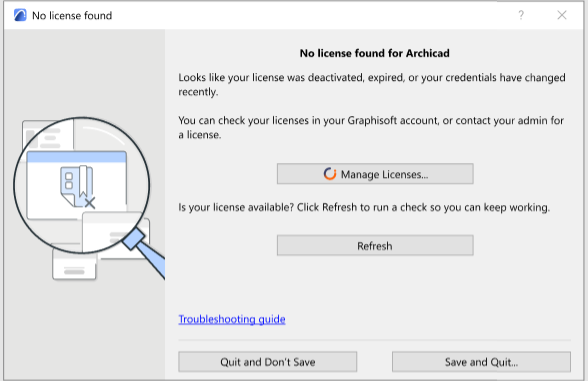
This dialog appears if you are working with a cloud license, but then something happens so your license is no longer available.
Why is my license missing?
Possible reasons:
- You had an assigned license, but your administrator revoked it and/or assigned it to another user
- You had an assigned license, but it expired (and your contract manager did not renew it, e.g. due to issues with the payment)
- You had an assigned license, but your contract manager canceled the subscription
What should I do now?
One of the following:
- Click Manage Licenses to check you license status in your Graphisoft account, and try to fix it. Then return to this dialog and click Refresh.
- Ask your Graphisoft account administrator or contract manager to assign or buy a license for you
- If you cannot solve the problem here, choose either Save and Quit, or Quit and Don’t Save.
See also License types.