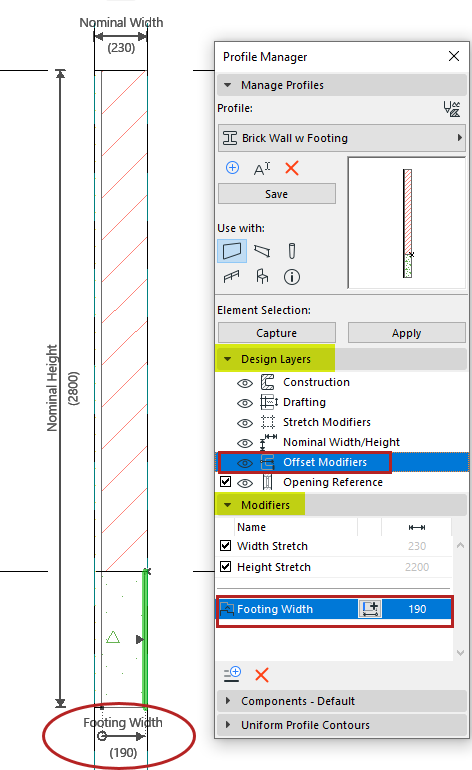
These controls are in Profile Manager (Options > Element
Attributes).
Offset Modifiers are optional controls added to a Profile, used to offset
individual profile edges at the element instance level - so you don’t have to create and
manage many similar Profiles. They are available for wall, beam and column profiles.
Parametric modifiers can be labeled, scheduled and used in Expression-type properties.
With Profile Editor open:
Turn on Offset Modifier visibility in the Design Layers panel
Add modifiers in the Modifiers panelFigure 1. Profile Editor: Element with Offset Modifier
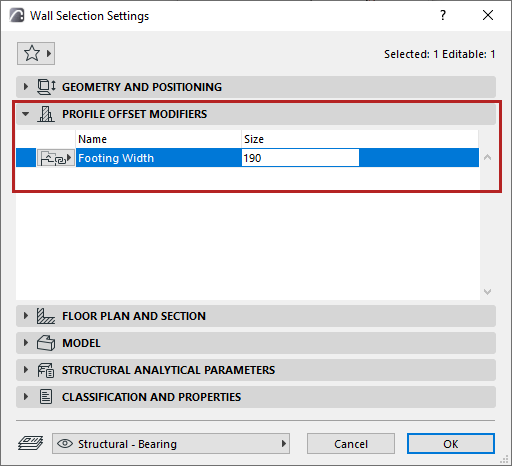
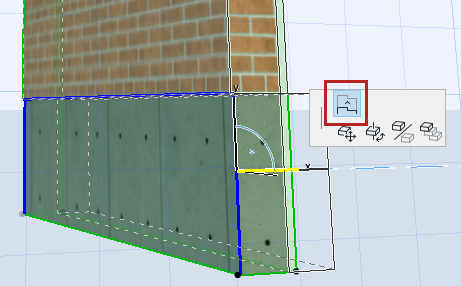
Edit the profile using its offset modifiers in its settings dialog, or
graphically in a model window.