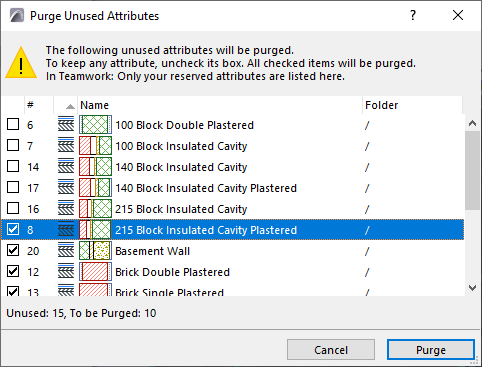
Purge attributes
Use the Purge command to remove unused attributes from your project. You can only purge attributes that are not being used in your project. Therefore, unlike the Delete attributes command, “Purge” cannot result in missing attributes.
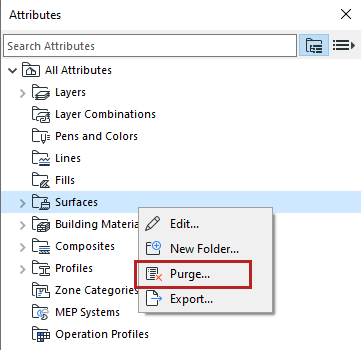
In Attributes:
- Select attribute(s) or any folder.
- From the context menu, choose Purge.
- The next dialog lists the unused attribute(s) to be purged.
- Edit the list:
- Click Purge.
See also Delete attributes.