Data on newly added attributes (Attributes palette)
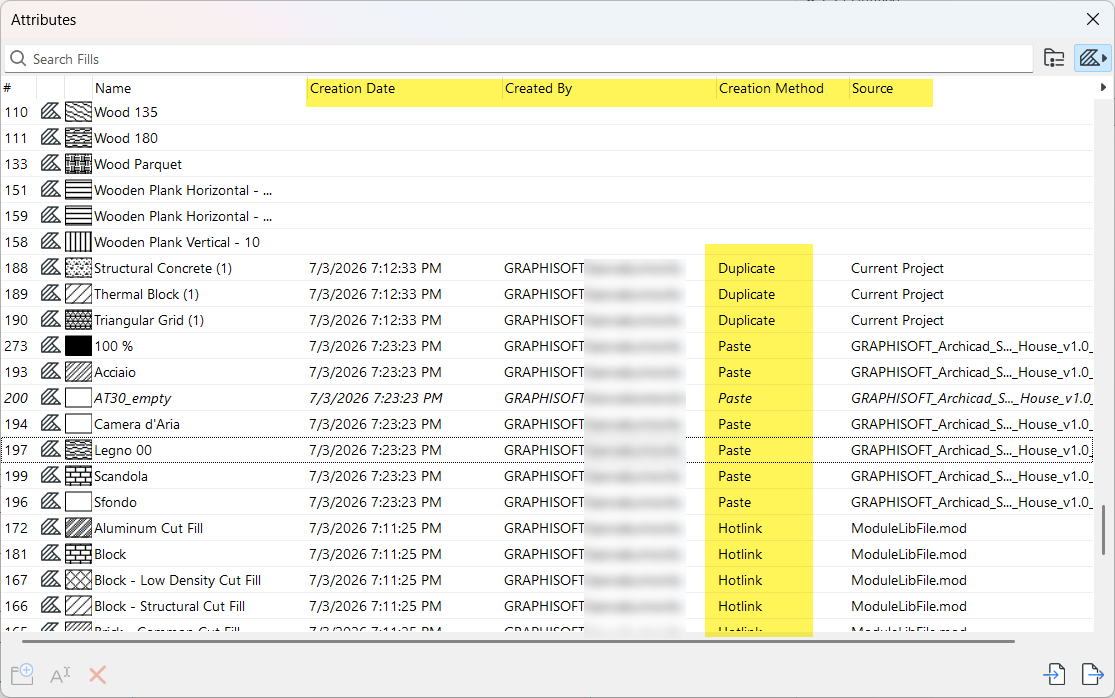
The data fields related to newly created attributes - such as when placing or updating
hotlinks, or during paste - help you clearly identify these with the following information:
-
Creation Date
-
Created By
-
Creation Method - how the new attributes were added: via hotlink, paste, duplicate, explode, import...
-
Source File (such as hotlink file name or source file of pasted elements)
Such data can be useful to help you identify and manage these additional, sometimes unexpected attributes - before the non‑standard or duplicated attributes have spread through the model.
Note: For more information on how attributes are added via paste and
hotlink operations: see Handling of attributes during paste and hotlink
Clear creation info
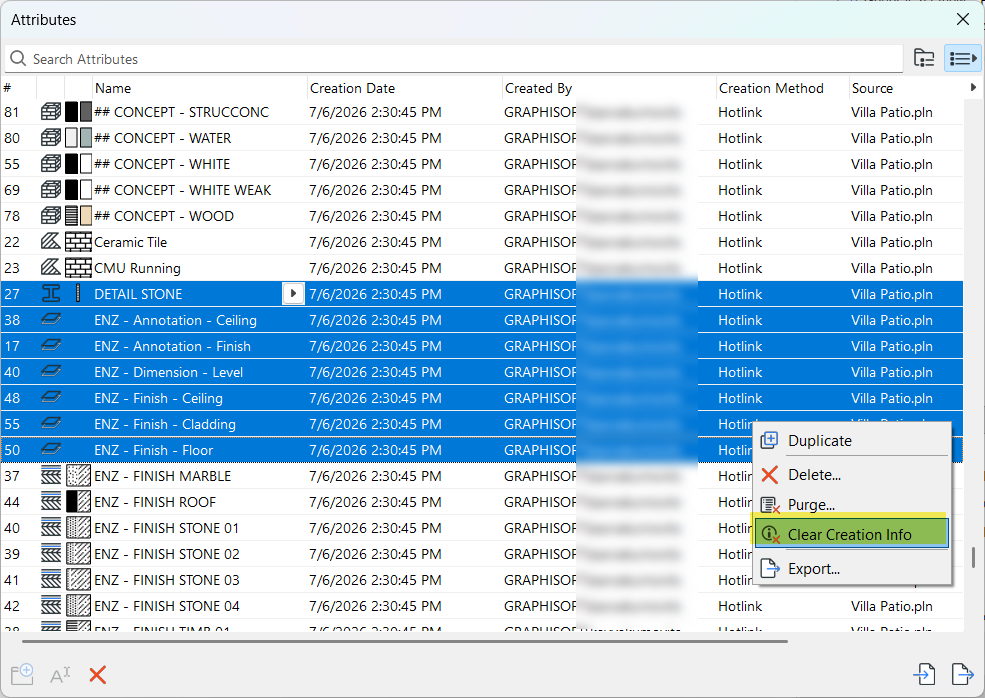
All of the creation info (date, source, method) can be cleared once the information is no longer needed: select one or more attributes, then use the Clear Creation Info command from the context menu.
In Teamwork, deleting such data requires the permission called “Clear Creation Info for Attributes”.