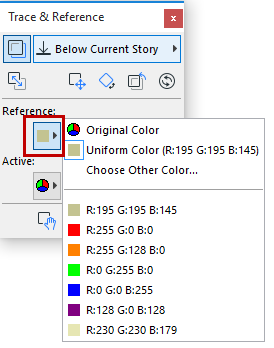
Set Color of Reference Elements Open the Trace & Reference Palette. (Use Window > Palettes > Trace & Reference, or choose Trace & Reference from the list of Trace Reference commands.) Click the pop-up to choose a uniform color, if desired, for Reference elements. Parent topic: Virtual Trace: Using References to Edit and Compare Model Views and Drawings