Switch Reference with Active: Access Elements within the Reference for Editing or Copying
Elements on the Reference cannot be selected or edited.
However, by switching the Reference and Active views temporarily, you can select and edit elements in the Reference. For example, you can use the Switch Reference with Active command if you need to paste certain Reference elements into the Active view:
First, use the Switch Reference with Active command (from the list of Trace Reference commands, or the Trace & Reference palette.)
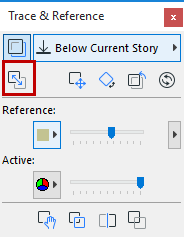
This changes the Reference into the Active (now you can edit its elements), and the Active into a Reference.