Snap to Grid
The Grid Snap function (Alt+S) assists in the precise graphic alignment of elements, even at low zoom levels. When grid snap is active, the cursor always snaps to the nodes of either the Construction Grid or the Snap Grid.
Activate Grid Snap
Do one of the following:
- From View > Grid Snap Options: Select Snap to Snap Grid or Snap to Construction Grid.
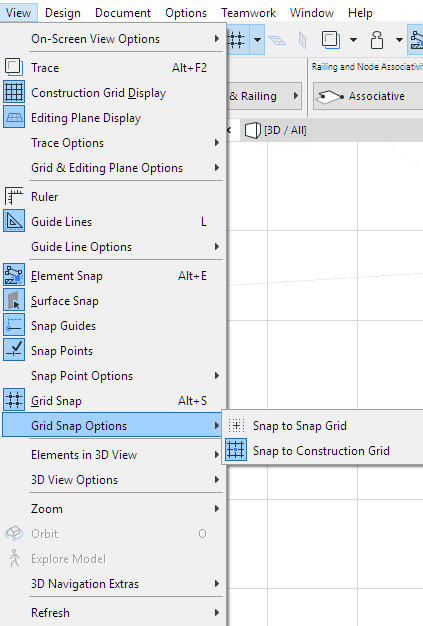
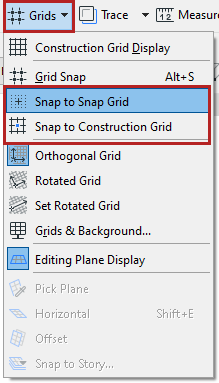
- Use Snap to Snap Grid or Snap to Construction Grid from the Grids menu in the Standard Toolbar (if available)
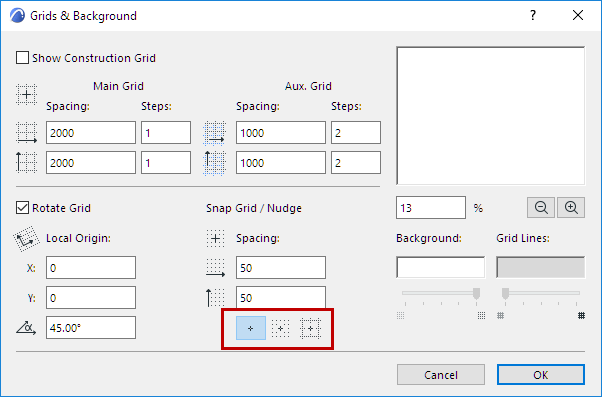
- Select one of the three Snap buttons at View > Grid & Editing Plane Options > Grids & Background.
- Use the View > Grid Snap menu command. The Snap function will use the last grid type used, either Construction or Snap grid. (Shortcut: Alt+S)
Deactivate Grid Snap
Do one of the following: