Dragging Elements
To drag one or more elements to a new location:
- Select one or more elements, then do one of the following:
- Move the cursor to drag all selected elements to a new location.
- Click to place.
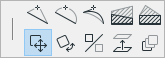
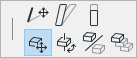
In the 3D window, dragged elements are constrained to the current 3D Editing Plane. You can change this plane as needed.
Drag a Copy
To Drag a Copy, select one or more elements, then do one of the following:
- press Ctrl while executing the regular Drag command
- select Edit > Move > Drag a Copy
- select Move > Drag a Copy from the context menu
Drag and click to place a copy. The original element(s) remain in place.
Drag Multiple Copies
To drag several copies of an element: