Curtain Wall Accessories
Note for MEP Designer users: Curtain Walls and Curtain Wall Settings are visible, but cannot be created or edited.
A Curtain Wall Accessory is an optional non-load-bearing member - such as a sun shade, a decoration strip or a canopy - attached to the Curtain Wall at any Frame.
An Accessory can be configured in Edit mode with custom properties, but you can also set Accessories to use the System-level Accessory settings from Curtain Wall Settings.
Moving Grid Lines or Frames will move the Accessory along with them.
Add New Accessory to Curtain Wall
- Enter Curtain Wall Edit mode in the 3D window.
- Activate the Accessory Tool.
- Use the Info Box or Accessory Settings to define the Accessory type and Class.

- Click on a Frame or a Frame endpoint - the endpoint closest to your click is the Accessory startpoint.
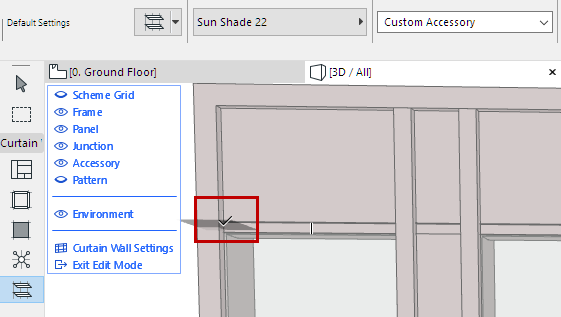
- Drag the cursor and click to define the endpoint.
- Click with the eyeball cursor to define its direction: outside or inside the Curtain Wall.
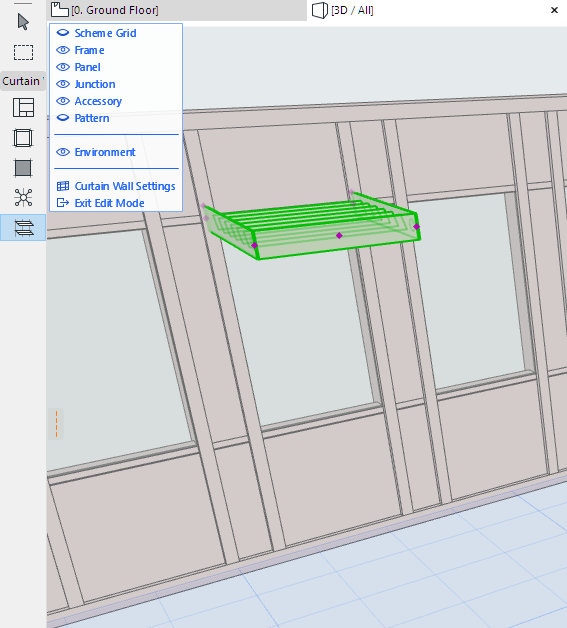
Customize an Individual Accessory
When an Accessory is selected in Edit mode, you can
- Open Accessory Selection Settings and change it
- Drag the Accessory onto another Frame (in 3D Edit mode only)
- Flip the Accessory to the opposite side of the Curtain Wall (Use the “Flip” button in Accessory Tool Settings or the Info Box)
- Delete the Accessory
Set the visibility to make your work easier (for example, turn off the visibility of everything except for Accessories, Frames and the Scheme.)