Layout On (Stair Display On Each Story)
Vary a stair’s symbol display, story by story.
Under Layout On: Click on each Story name, then choose how to display the Stair on that story:
- Break Mark: With or without a Break Mark
- Visible vs. Hidden Attributes: To use either Visible or Hidden
attributes on the displayed parts of the Stair. The set of attributes (for hidden and
visible parts) is defined for each symbol component on its own settings page. See below.
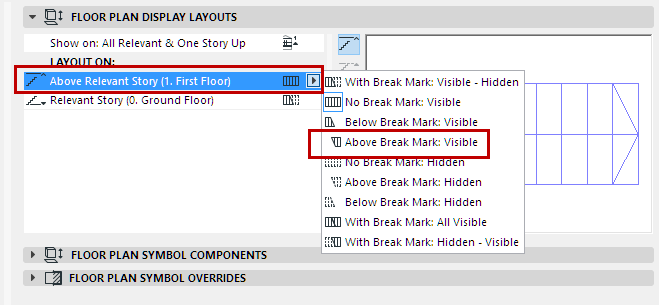
Use the Preview to get an idea of the Stair’s 2D display on each story.