Create Morph from Existing Elements
Convert Selection to Morph(s)
Use this command to create multiple Morphs out of selected elements: Each selected element will become a separate Morph.
Example: Convert GDL Object to Morph
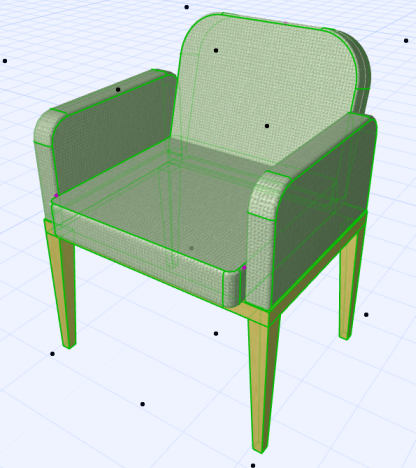
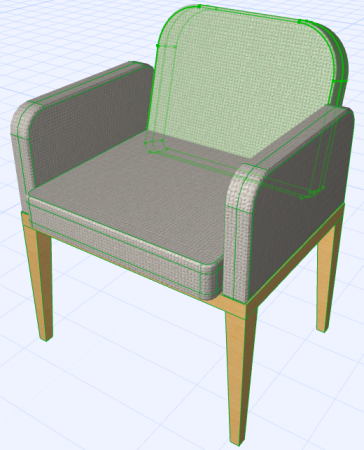
When you convert a GDL object to Morphs:
- GDL objects will be converted into independent Morphs.
- GDL sub-element components of other elements (e.g. door, window, wall end, skylight) will be converted into independent Morphs themselves.
- Similarly, the sub-elements of complex roofs and curtain walls are
converted into independent Morphs.
Notes on Attributes of Newly Created Morphs:
- If the transformed element was an object, its surface is added to the project’s set of surface attributes, if the surface doesn’t exist there already. Such a newly added surface attribute automatically receives a suffix of _from Converted Object, though this string is not considered when the program checks for duplicate names. (If the converted object’s surface already exists in the project, the new Morph uses the existing surface.) Any texture attached to the surface is added to the embedded library.
- In Teamwork, creation of Surfaces and Fills requires the appropriate access right. If you do not have this right, you will see a warning message. The Morph will still be created, but the surface/fill/texture will not be added to the project, and the Morph may thus look different than expected.