Editing Polylines
Unify Drafting Elements into Polyline
Connected Lines, Arcs, and Polylines can be transformed into a single Polyline.
The attributes of the last selected element will be applied to the unified set of elements.
You can unify multiple sets of selected, connected items with a single Unify command.
See also Intersect Two Elements.
Open a Closed Polyline
To open a closed polyline by deleting one of its segments:
Explode a Polyline
- Select the Polyline.
- Use Design > Explode into Current View.
The resulting lines and arcs are grouped. Ungroup them as needed.
See also Explode into Current View.
Dashed Polylines: by Segment or Continuous
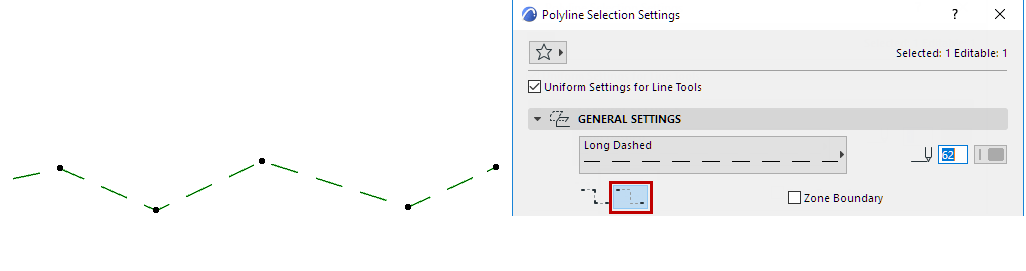
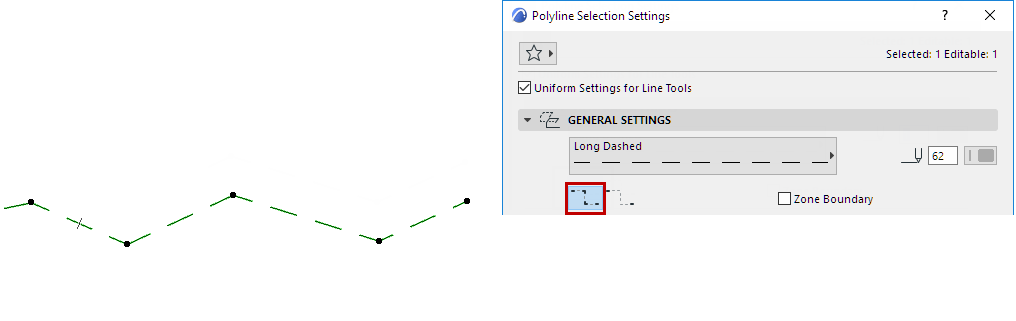
For Polylines only, if you are using a dashed line type, choose a preference in Polyline Settings for how to handle the dashed pattern at polyline nodes.