Review Elements (Teamwork)
If you want to discuss certain element(s) with a fellow user, it often easiest to ask them to take a look. In Teamwork, this is easy:
- Select the element(s) in question.
- From the context menu or Teamwork menu, choose “Review Selected Elements.”
- Select the user(s) who you want to review the elements.
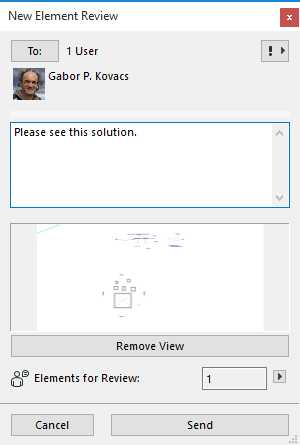
- The New Element Review includes an attached view, plus the number the elements in question.
- Click Send.
- The recipient clicks “Show” to see the elements under review.