Define Collision Groups
Under Group 1 and Group 2, use the criteria interface to define the collision groups.
- To check collisions between all element types, use the same criteria for both groups.
- To check collisions between 3D elements and MEP elements only, limit one of the groups to elements classified as MEP.
- To use a saved Criteria Set to define a Collision Group: Click
the Criteria Set Name arrow to list the project’s criteria sets:
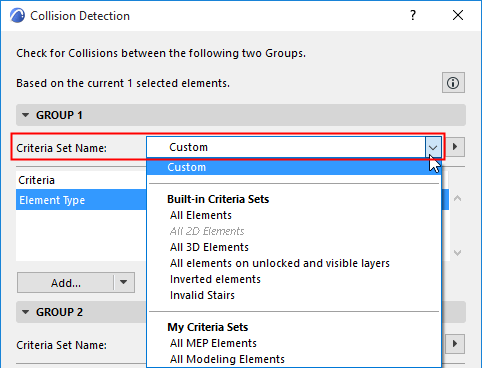
- If you pick a Criteria Set here, its contents will overwrite the Collision Group’s current criteria
- Listed Criteria Sets may be disabled if the set includes
criteria not applicable to Collision Detection (e.g. 2D element types, or
IFC properties)
See also Predefined Criteria Sets.
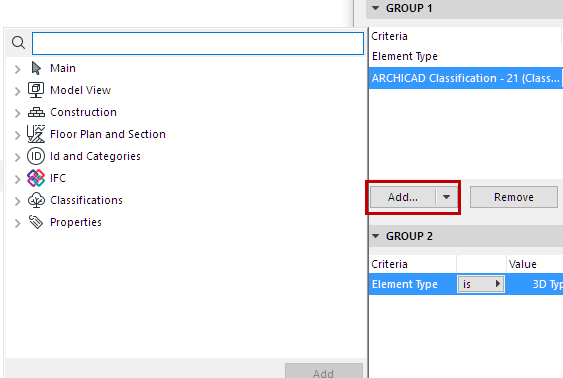
- Click Add to bring up a dialog to choose any Properties
and Parameters by which to limit the group.