Subscribe to Changed Elements - by Selection
Use this Subscription Type to track changes in selected element instances.
- Go to Teamwork > Change Tracking
- In the appearing dialog, click the New Subscription icon (or right-click anywhere in the dialog box).
- In the New Subscription dialog, choose Selected Elements.
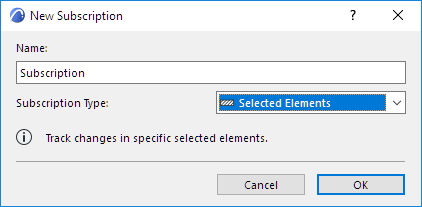
- Click OK.
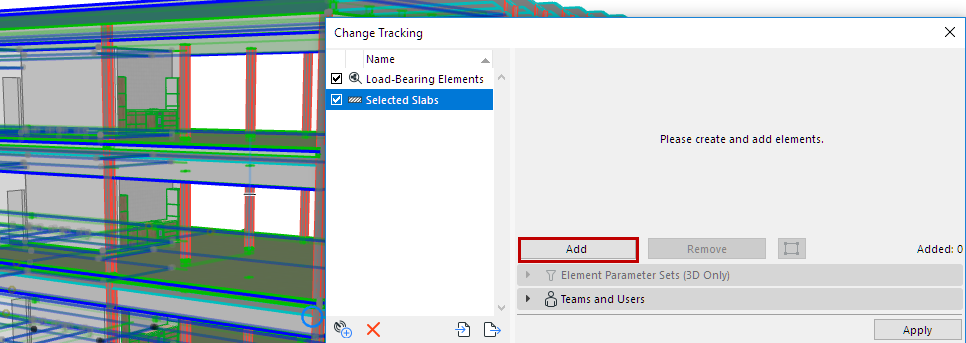
- If any model elements are currently selected: These elements are added to the Subscription list.
If no model elements are selected yet, select them, then click Add.
- In this example, the selected Slabs are added to the Subscription.
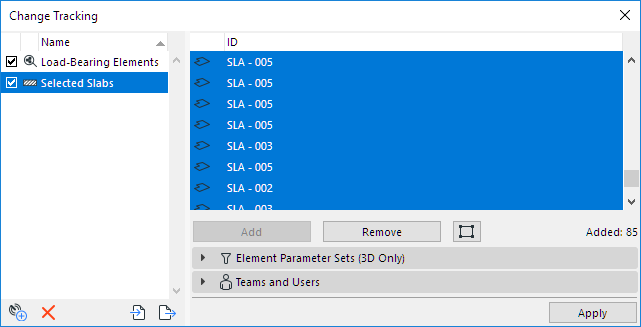
- In the panels below, you can fine-tune this subscription by narrowing the set of tracked parameters, and/or by Teams and Users.
- Click Apply to activate tracking for this subscription.