Hydronics Optimizer
The Hydronics Optimizer resizes all heating pipes based on minimum and maximum diameters, as well as minimum and maximum velocity.
- Select routes to resize, then open Hydronics Optimizer (MEP toolbar, or Window > Palettes)
- Define value ranges for pipe dimensions and velocity, then click Resize
Use this dialog after you have defined hydronic systems and checked calculations in the System Browser.
- Open Hydronics Optimizer from the MEP toolbar, or Window > Palettes

- Select one or more pipe routes for resizing. The dialog tells you the
number of selected and editable elements.
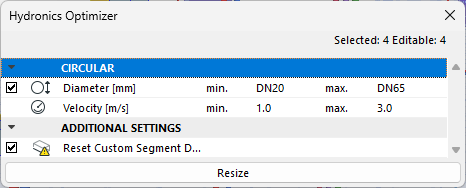
- Check the dimension types that you want to resize.
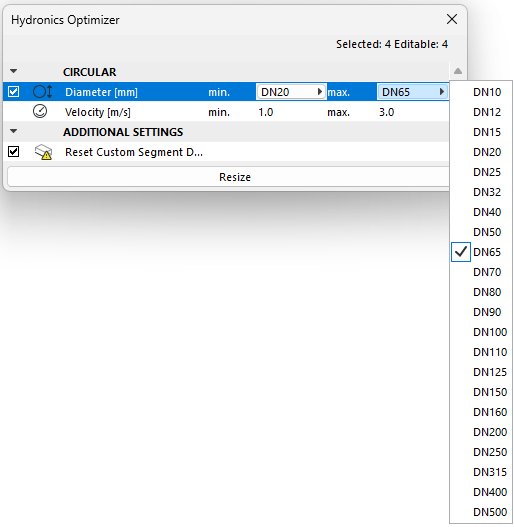
- Define value range for pipe diameter.
- Define value range for velocity based on their specific requirements
for minimum and maximum values.
- Click Resize.