Circuits
Use this panel to create electrical circuits for your Project. You can create new circuits, duplicate a selected circuit from the list, rename circuits, or delete a selected circuit using the buttons below the list.
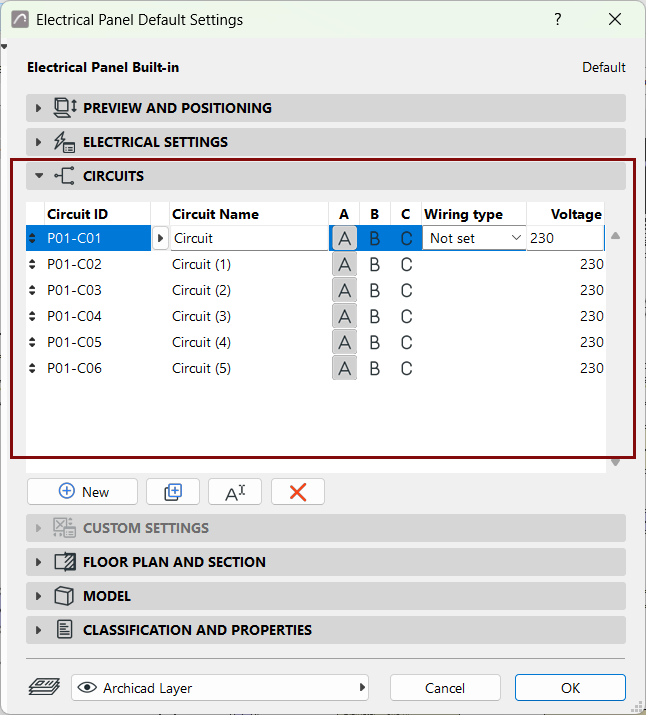
For any created circuit, specify the following:
Circuit ID
Automatically generated based on settings in the ID Prefix and ID Style fields.
Circuit Name
Specify the name of the circuit.
A B C
These buttons specify which of the A, B, and C phases will be used by the circuit. For typical circuits in most residential projects, one phase is used per circuit, so select one of them.
Make sure to distribute the phases among the circuits so that the estimated Demand Load is about the same for all phases. Select all three phases for circuits that include electrical devices designed for it.
Wiring type
Select a wiring type for circuit, or leave the value at “Not set”. Available wiring types and their respective cross-sectional areas are defined in the Electrical Project Settings dialog.
Voltage
Specify the Voltage (in Volts - V) used by the circuit.