CAD Formats (Open)
DWF File (.dwf)
Drawing Web Format, a 2D vector graphics format created by Autodesk.
The DWF file will contain all drawing elements with some exceptions and limitations:
DXF/DWG File (.dxf, .dwg)
MEP Designer opens all DWG file formats starting with AutoCAD 2000.
From File > Open, select the DXF or DWG file format. Use the Settings button to open the DXF-DWG Translation Setup dialog box.
For details, see Opening DWG/DXF Files.
However, in most cases you need not adjust these translation settings, because the default setup will give you the desired result when opening a DXF/DWG file.
MicroStation Design File (.dgn) - Version 7 or 8
Do one of the following:
- Use File > External Content > Place External Drawing and select a MicroStation Design File (.dgn) file (version 7 or 8)
- Use File > Open and select a MicroStation Design File (.dgn) file (version 7 or 8)
- Drag and drop a .dgn file to import into the current project.
Set options in the Open DGN dialog or Import DGN dialog, as applicable:
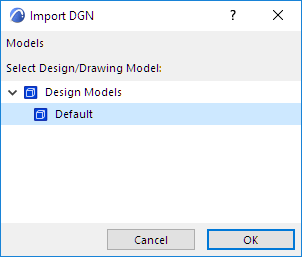
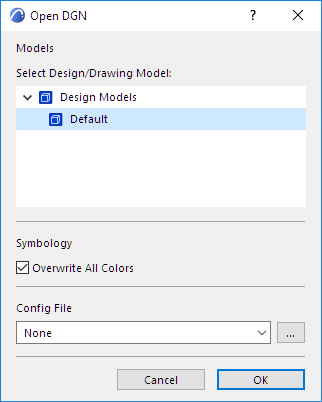
Design/Drawing Model
Use the pop-up to select one of the models in the DGN model (if it contains multiple models).
Symbology
Overwrite All Colors: The project’s Pen Set is overwritten using the DGN color table.
Config File
Optional. A default configuration file (txt) is available in the MEP Designer Defaults folder. Use or customize a config file to ensure company-standard conversions.
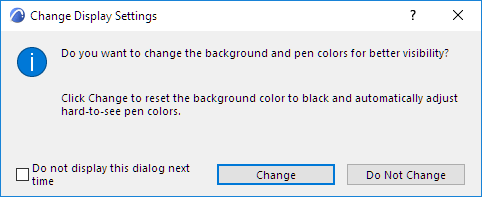
If you used File > Open to open the DGN file: A dialog will appear with the option of changing the background color to black.
See also Save as MicroStation Design File (.dgn) - Version 7.