Installation
In order for the Autodesk Forma Connection to work, it must be installed both within the Autodesk Forma environment and as part of Archicad. Please follow these steps:
-
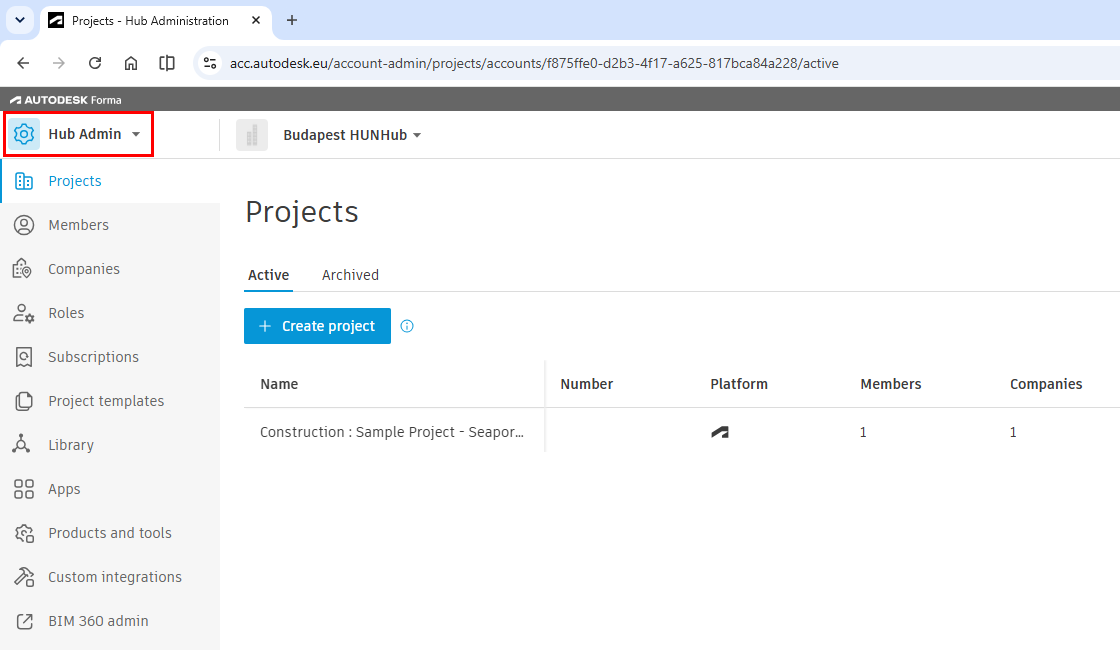
Log into Autodesk Forma and go to the Hub Admin page.
-
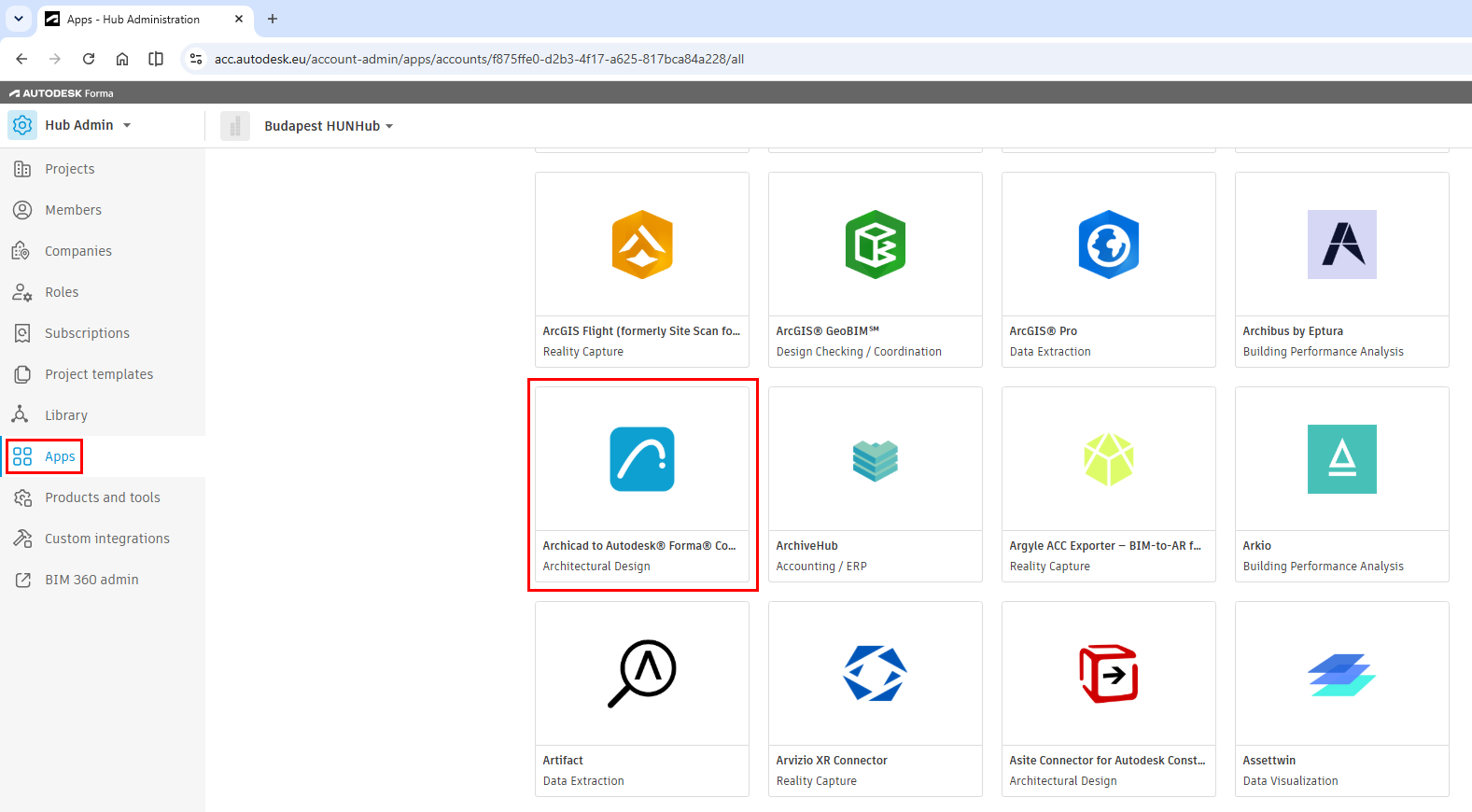
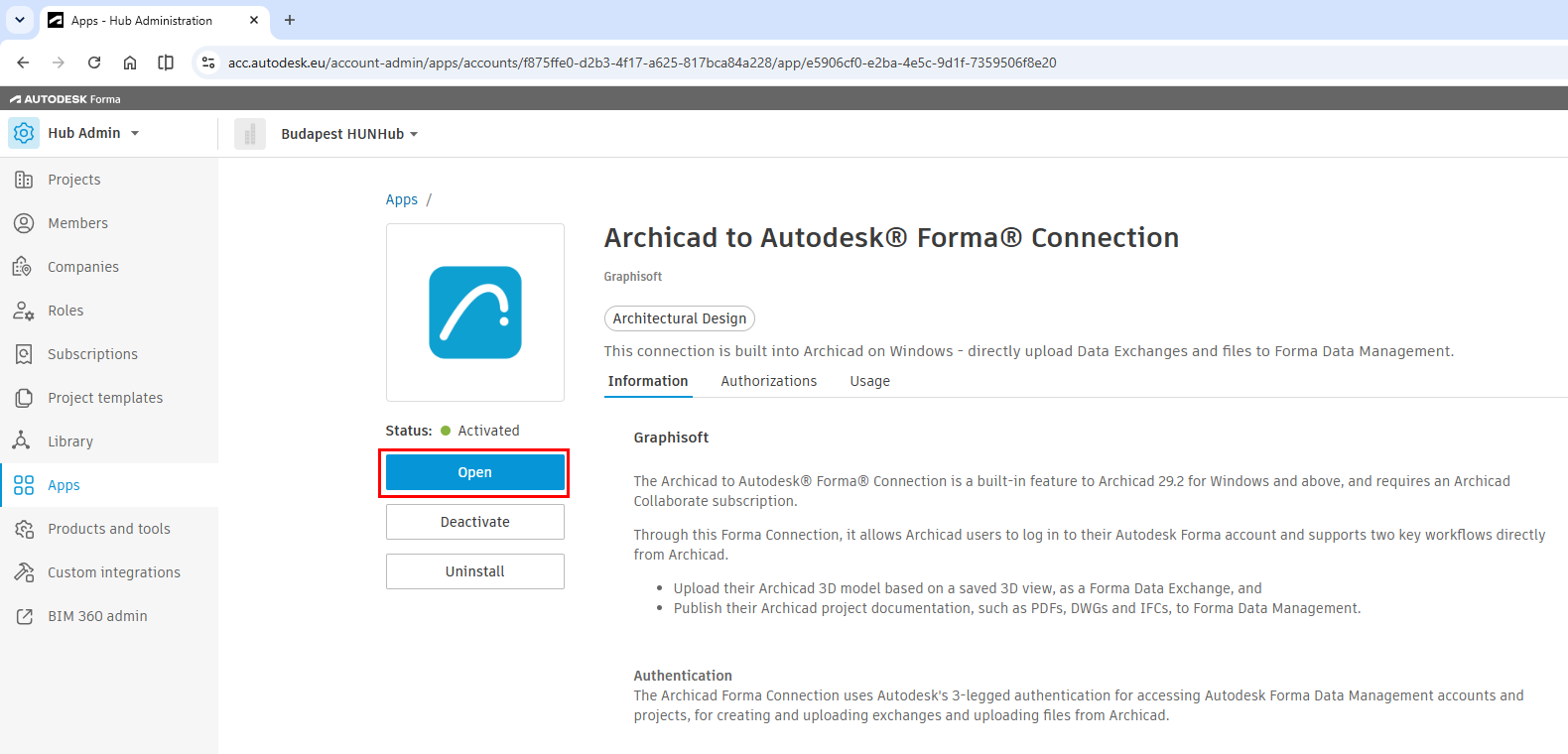
On the left, click Apps to display the list of apps. Then click the Archicad to Autodesk® Forma® Connection app.
-
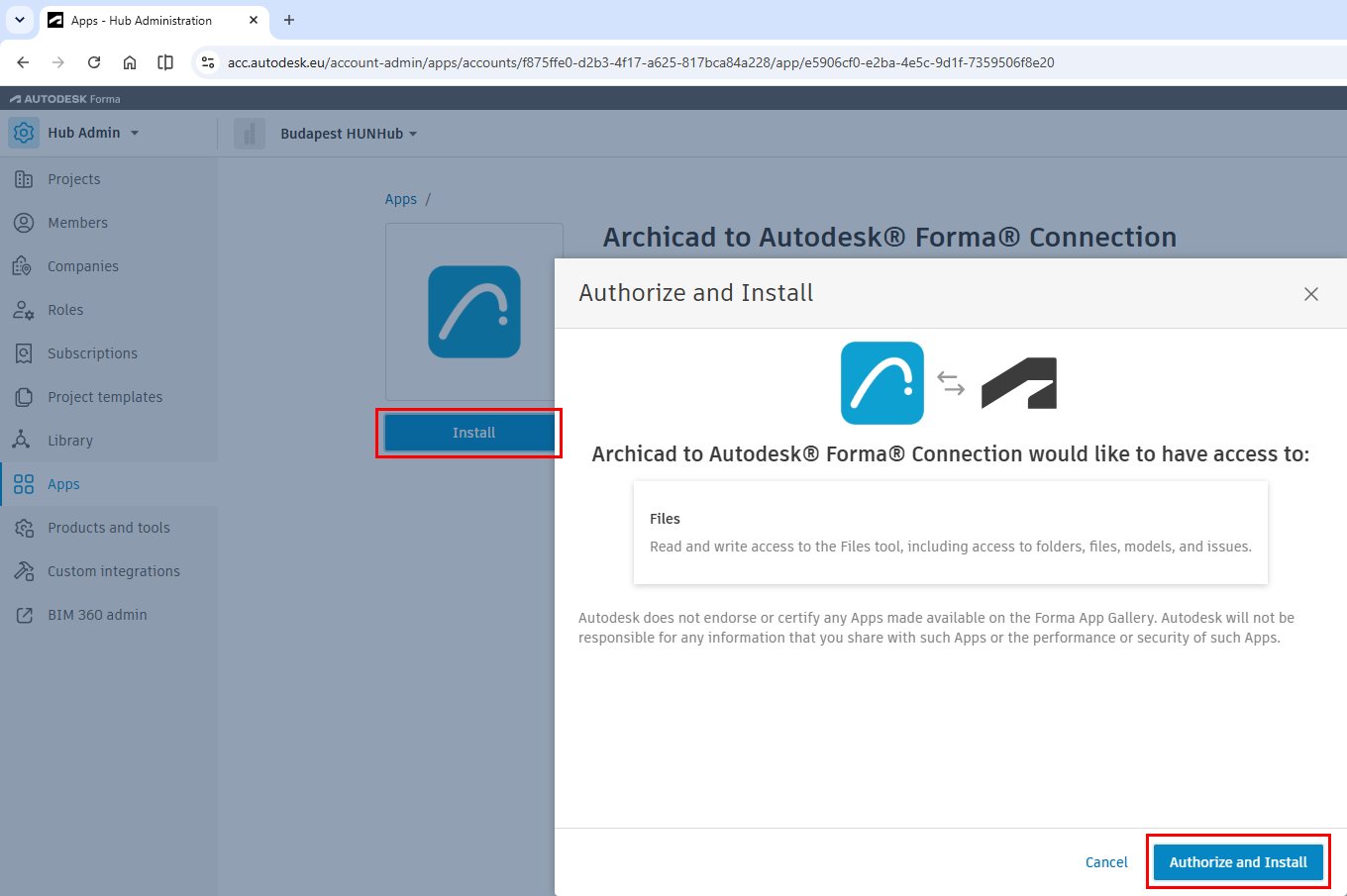
When the app opens, click Install. In the appearing dialog, click Authorize and Install to install the Forma side of the Connection.
-
After the installation is complete, the app’s page shows its status as 'Activated'. Click Open to go to the Graphisoft Downloads page.
-
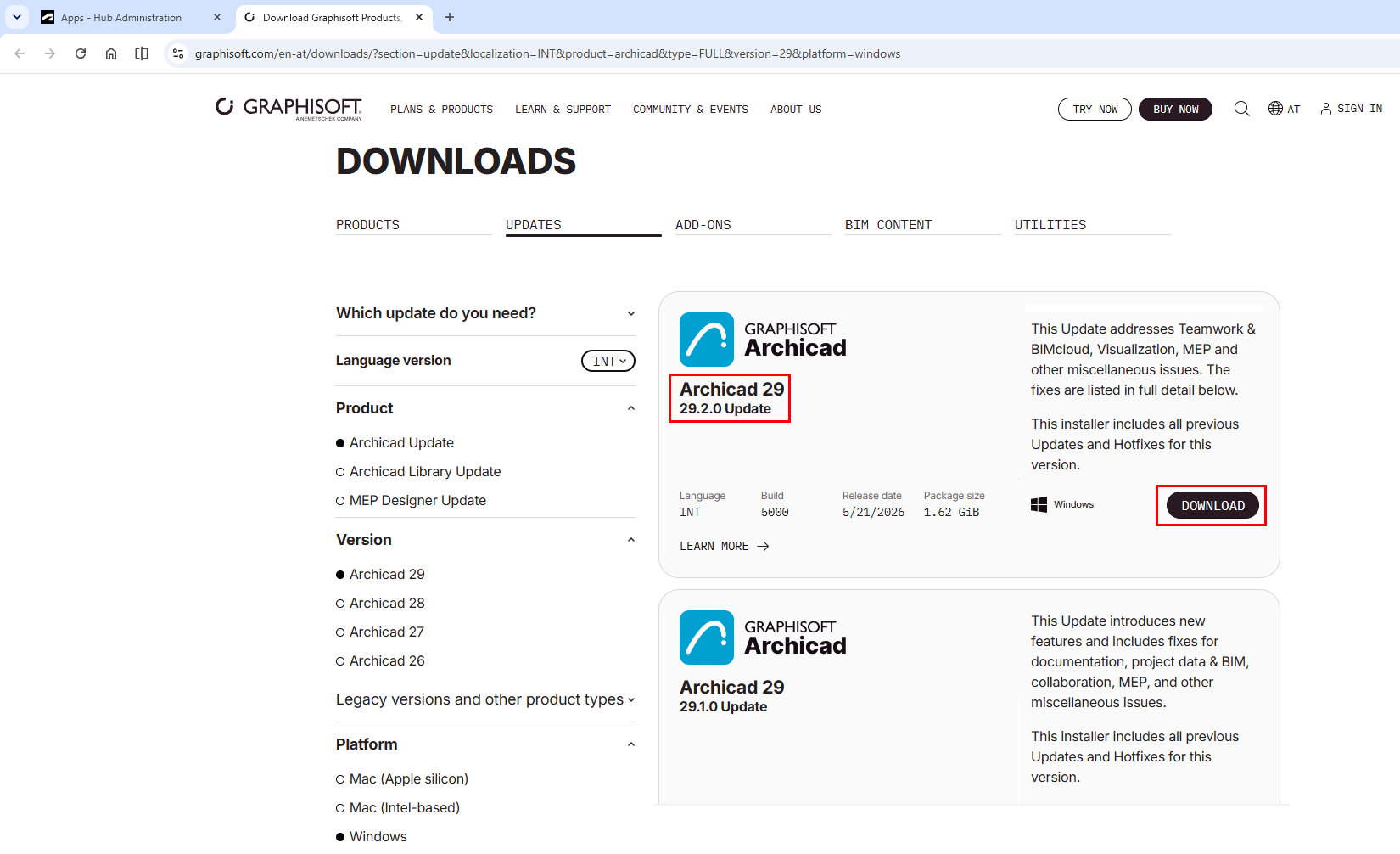
Download and install the Archicad 29.2.0 Update (or later). The Archicad to Autodesk® Forma® Connection is part of the default Archicad installation.