Font Conversion (DXF/DWG Translation Setup)
These are options in the DXF/DWG Translation Setup dialog box.
See DXF/DWG Translation Setup.
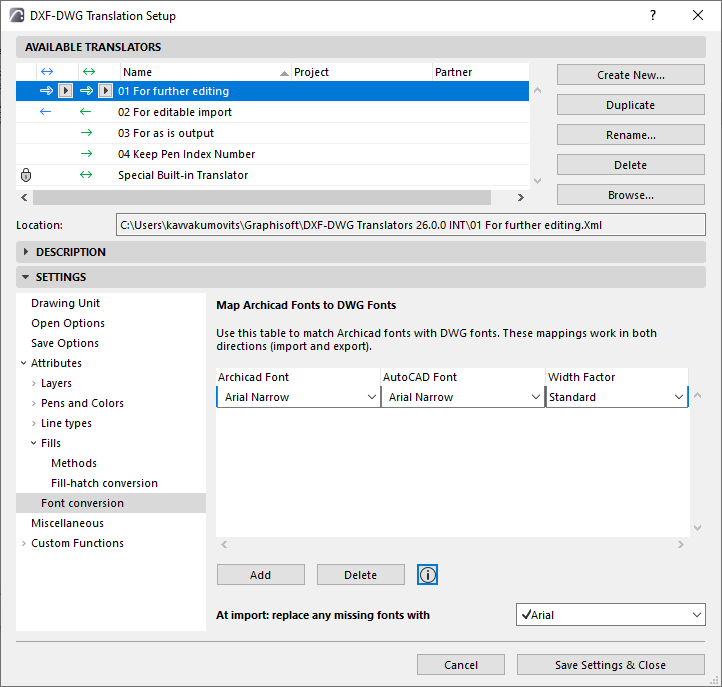
Use this panel to map the conversion of Archicad fonts to AutoCAD fonts, and vice versa.
- Click Add to create a mapping rule.
- Use the font pop-ups to match Archicad with AutoCAD fonts.
- The Width Factor field affects exported text.
- Optionally, click this field to enter a factor to increase or decrease the font width in AutoCAD. (The default “Standard” is = 1.00, that is, no change in font width.)
Replace missing fonts at import
Use this field to enter a backup font to use at import, in case any incoming fonts are not yet mapped.