Dimension Text
To open the Dimension Text Settings dialog box, you must first select the Dimension Text item (not the entire Dimension line).
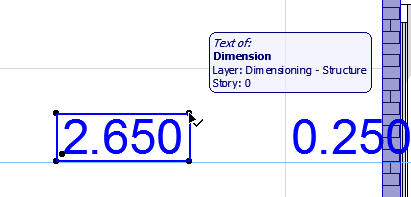
Select Dimension Text
To select a Dimension text, do one of the following:
Open Dimension Text Settings
Select a dimension text (see above), then do one of the following:
Text Content panel
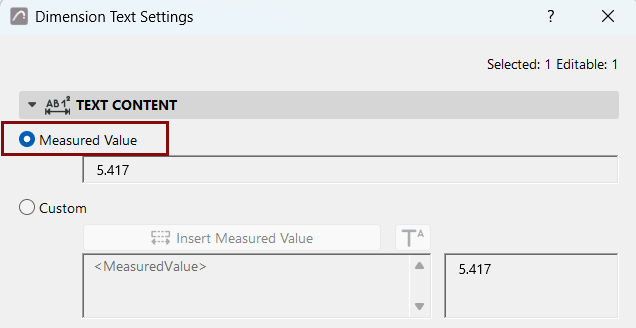
Measured Value (Dimension Text)
Displays the measured value of the selected dimension.
Custom Text Content
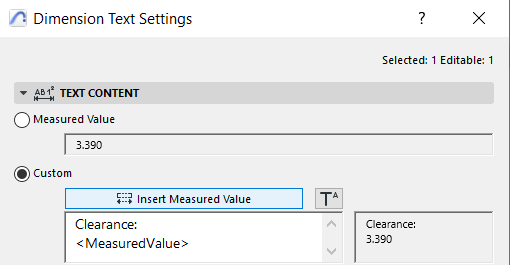
“Custom”gives you more options via Autotext to choose different measured levels and reference levels.
You can also add custom text and superscript, and format multi-line text.
Insert Measured Value (Dimension Text)
Click to insert the dimension’s measured value into the multi-line text field.
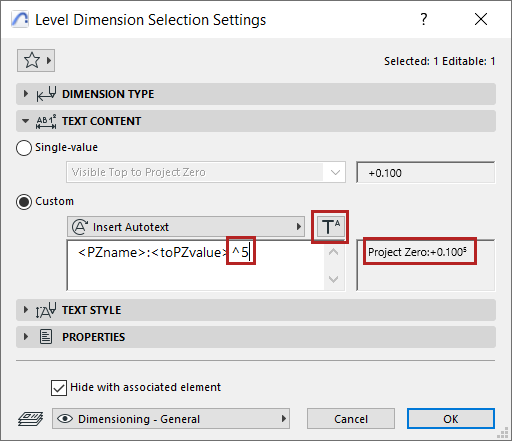
Add superscript to dimension text
Click Insert Superscript Symbol, then add your superscript text. (The symbol is shown in the dialog as a caret.)
To continue the text in regular font, click Insert Superscript again.
Set dimension unit at Options > Project Preferences > Dimensions).
Copy-Paste Dimension Text
Only simple text items can be copied; superscripts will not be copied.