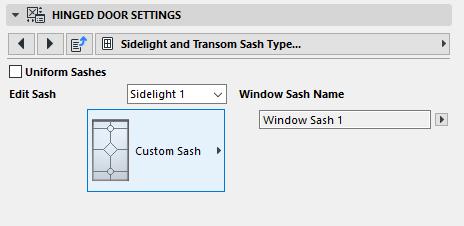
Sash Type/Sash Options (Door or Window)
The following is a description of the Sash Type or Sash Options page of the Custom Settings Panel of Door or Window Settings, from the INT Archicad Library.
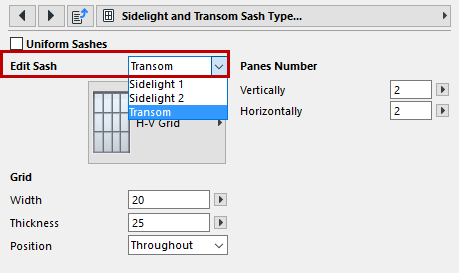
Start by selecting the sash or transom to edit from the pop-up list.
Next, choose a pattern of mullions for the selected sash:
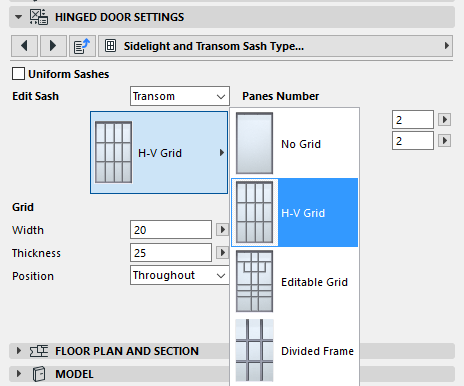
See also Custom Panel.
See Graphical Editing Using Editable Hotspots.
Enter values for the sash pattern: The number of panes horizontally and vertically, and parameters for the grid divisions.
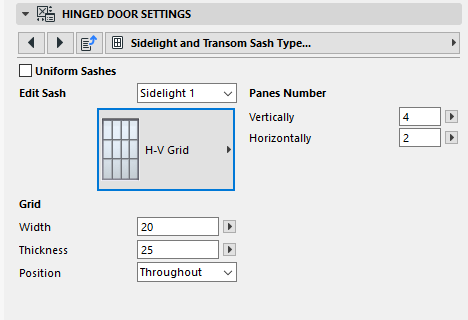
Position: Choose whether to place the grid for this sash inside or outside the opening, or to run it through on both sides (“Throughout”).
Custom Panel
If you have created a custom Window Sash, choose the Custom Panel style to apply your sash to the sidelight.
For information on creating a custom panel, see Create Custom Components.