Import Issues from Solibri
Issues created in Solibri can be imported to the Issue Organizer, where you can handle them as needed.
You can import all issues, or limit the import to issues that are either selected or marked in Solibri.
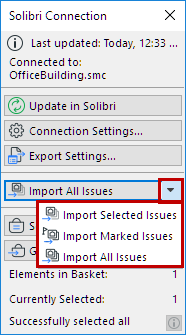
Click one of the following commands from the pop-up:
- Import Selected Issues
- Import Marked Issues
- Import All Issues
Figure 1. “Selected” and “Marked” (flagged) Issues in Solibri 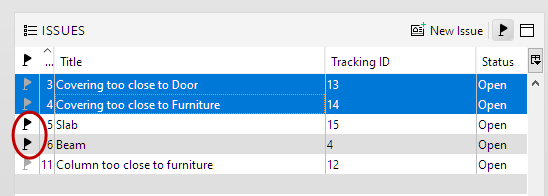
The imported Issues are now added to Issue Organizer.