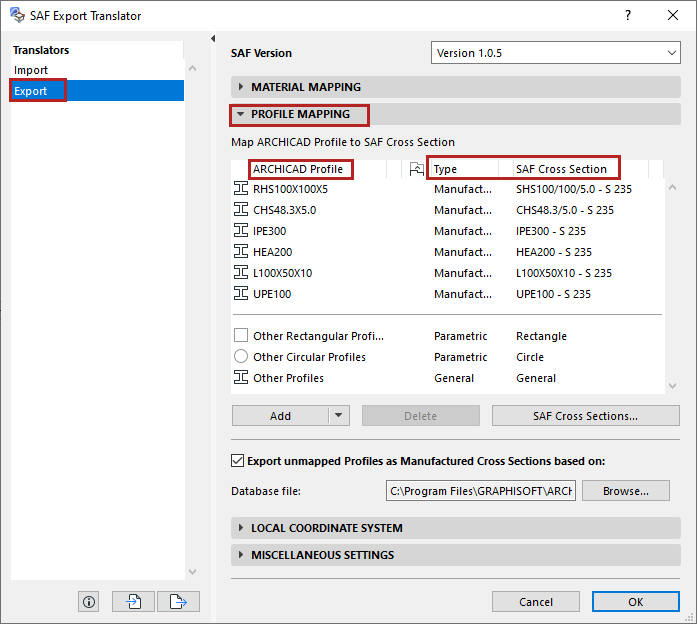
Profile Mapping (Export to SAF)
NOT AVAILABLE in ARCHICAD STAR(T) Edition 2022
Use Profile Mapping to map 1D Members that are Complex Profiles to their exact counterparts (“SAF Cross Section”) in the receiving software.
Go to File > Interoperability > SAF > SAF Translators, and choose the Export translator.
The SAF standard defines four Types of Cross Sections:
•Manufactured: Industrially manufactured cross-sections, with standard naming.
•Compound: Compounded section based on multiple manufactured profiles (e.g. two I-sections). Example of compound cross-section input: profile = IPE200 and parameters=10mm (distance between profiles).
•Parametric: Cross Sections defined by shape and dimensions (parameters).
•General: Serves to define any general shape of the cross-section. Consists of one or more closed polygons including openings. These do not use standard naming.
Map Complex Profiles (By Name)
Automatic Mapping Based on Database File (Export ARCHICAD to SAF)