Not available in Archicad Start Edition 2023
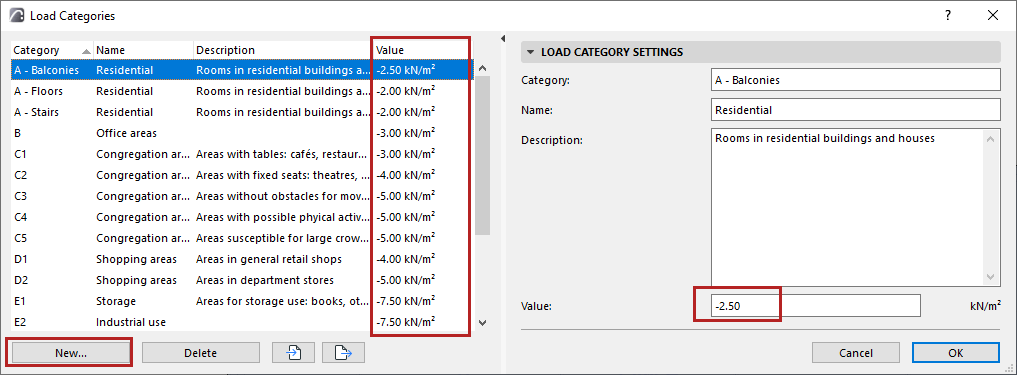
Use Load Categories in the workflow that automatically generates live loads on zones, based on their classification. Load Categories determine the live load values.
1.Open the dialog from Options > Load Categories
2.For each Category, review and set live load values as needed.
–The unit for the value (e.g. KN/m2) comes from the Surface Force setting at Project Preferences > Structural Load Units
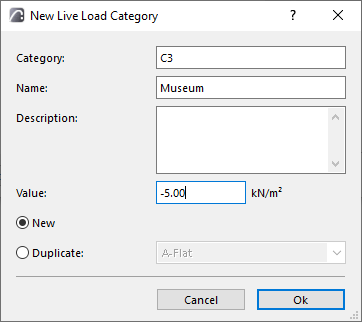
3.Click New to create Load Categories. You can also duplicate and edit an existing one.
 *
*
•Fill in Category, Name, Description, and Value.
•The “Category” text must be unique (you can’t repeat it in the list)
Import/export Load Category values
Use the buttons at the bottom of the Load Categories dialog to export or import Load Categories via an XML file.