Invoicing
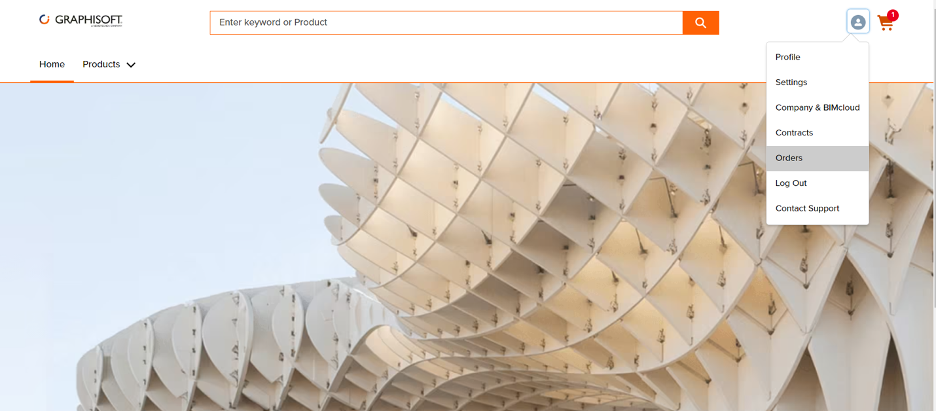
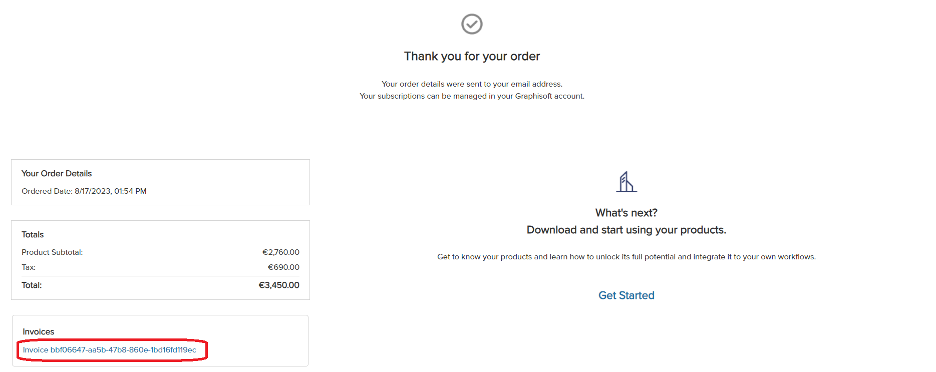
How can I get a copy of an invoice?

Why is the invoice issued by a third-party payment service instead of Graphisoft?
Until January of 2025, Digital River was Graphisoft's third-party partner for payment services - handling tax calculation, payments, and invoicing on behalf of Graphisoft.
As of September 2025, Graphisoft has changed to a new payment services provider called FastSpring, which fulfills the same functions as Digital River did previously.
However, Graphisoft remains responsible for product, support, and license delivery.
What is the difference between an invoice and a receipt?
In FastSpring terminology, an “invoice” is a formal request for payment issued before payment, while a “receipt” is a proof of payment, provided after payment has been received.
My billing information on the invoice is incorrect. What should I do?
You can edit your billing information directly on the invoice, before clicking Pay Now. The receipt, issued to you by FastSpring upon receipt of payment, will display your updated billing information.
Where applicable: please make sure that the billing address provided is the same as your “ship-to” address, which is used to calculate your sales tax.