Undo Cancellation
I canceled a subscription, but I want to reinstate it. Is this possible?
Yes, you can reinstate a canceled contract by using the Undo Cancel option. This is available only for contracts that have not yet expired. Once reinstated, the contract will resume and it will renew at the original end date.
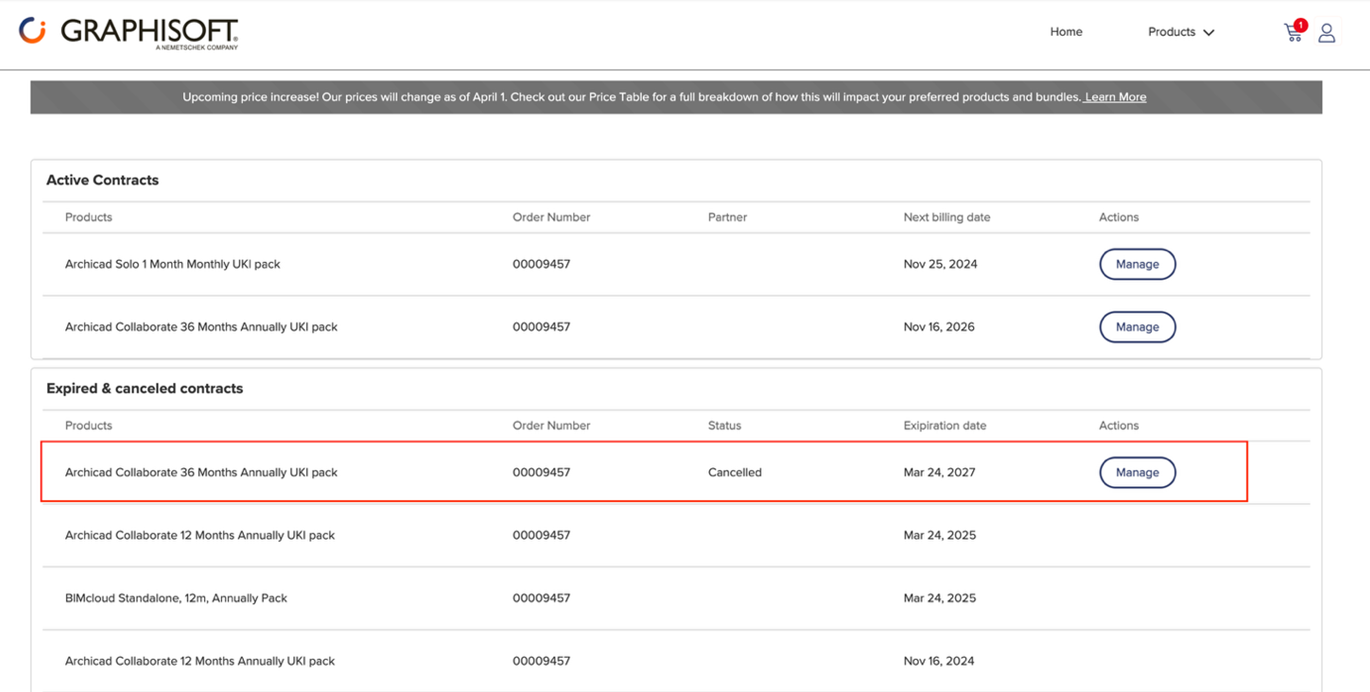
- Visit the Store at https://shop.graphisoft.com and log in to your account. Under the profile icon, select Contracts.
- Review the contracts listed under Expired & canceled contracts. Click the Manage button for the contract you wish to reinstate.
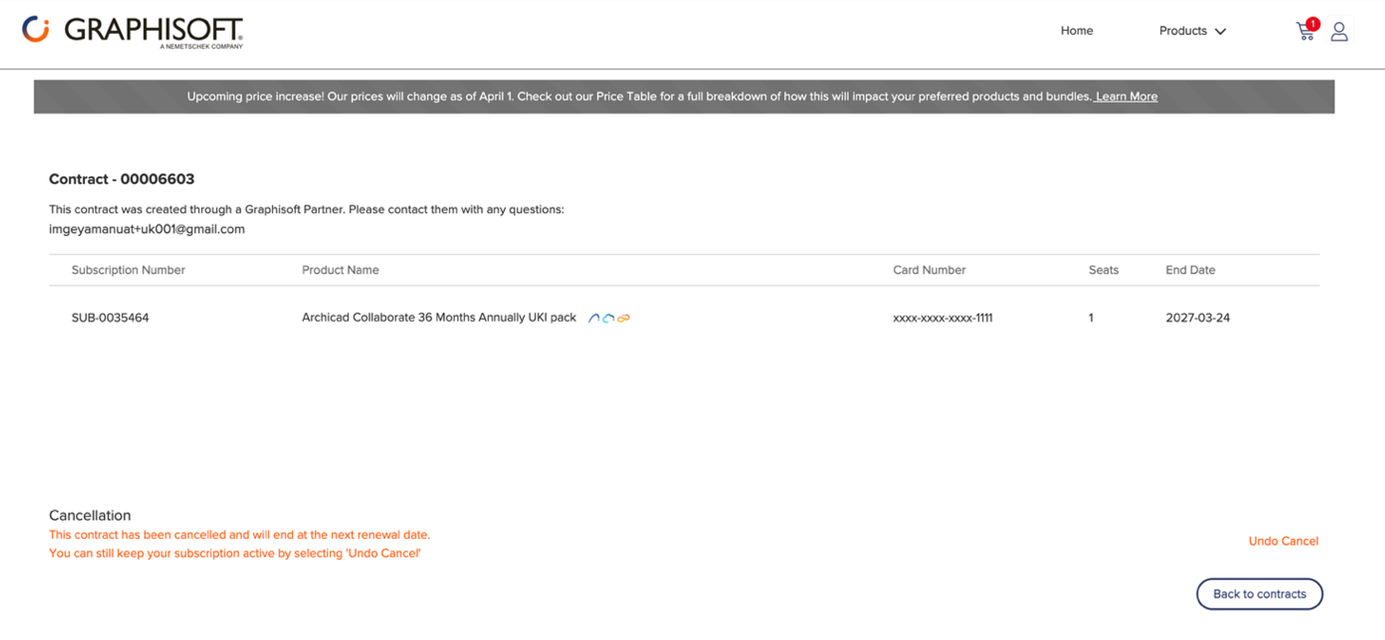
- Click Undo Cancel.
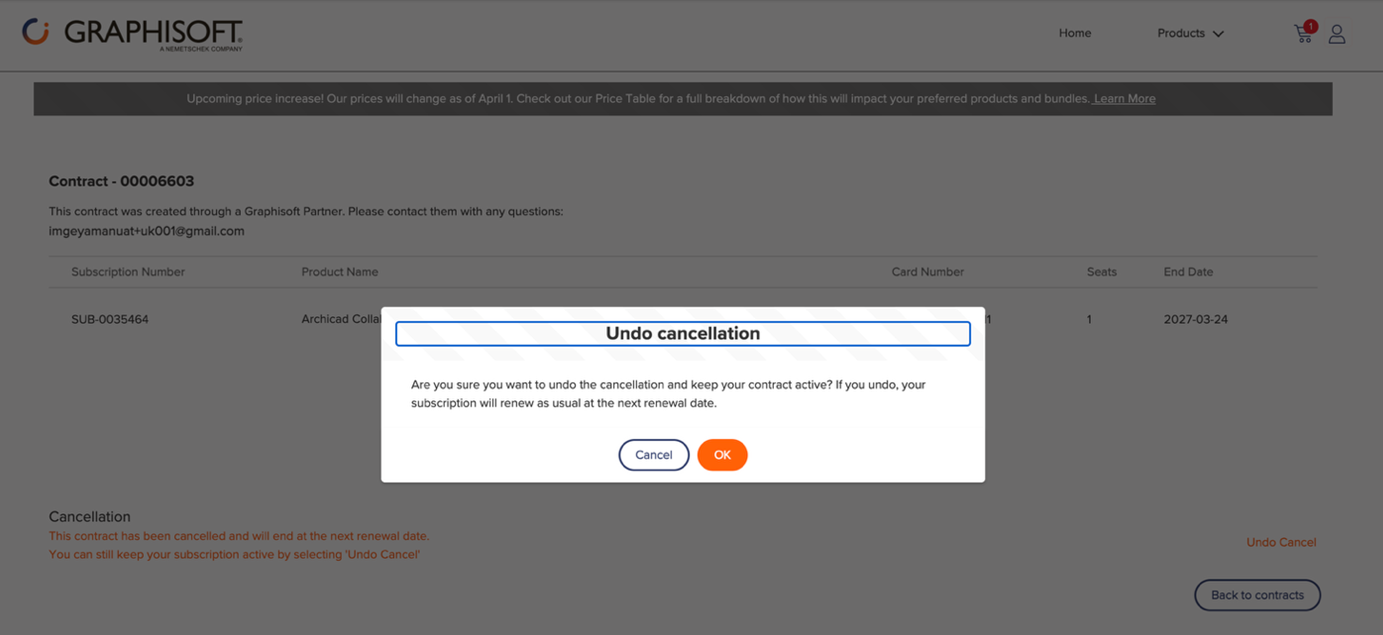
- Click OK to confirm.
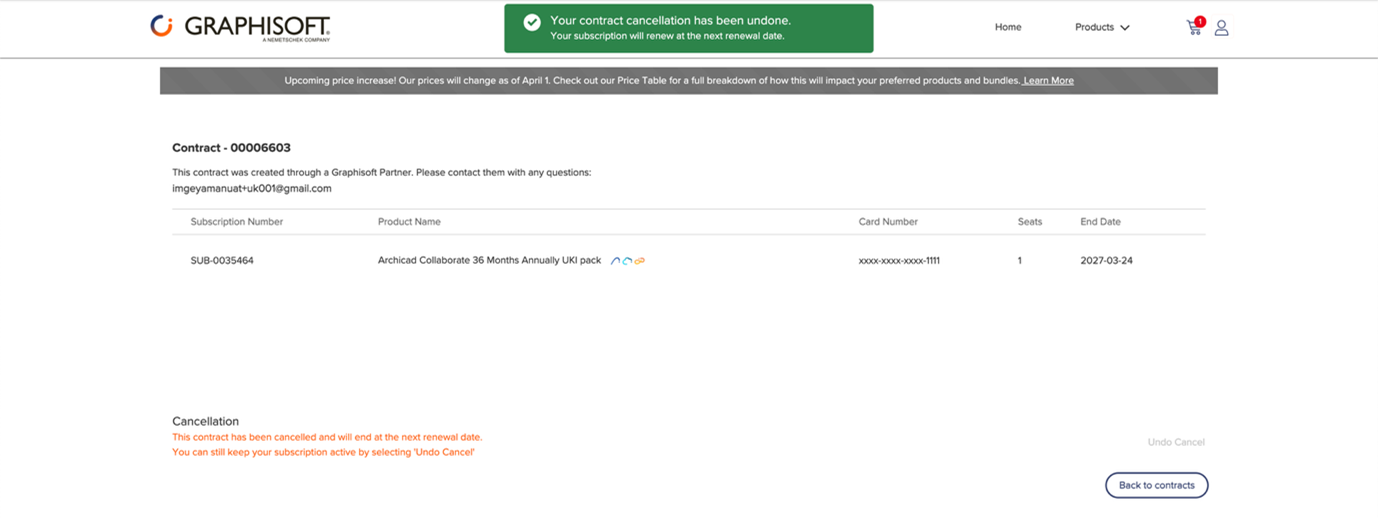
- A confirmation message will be displayed once the contract has been reinstated.