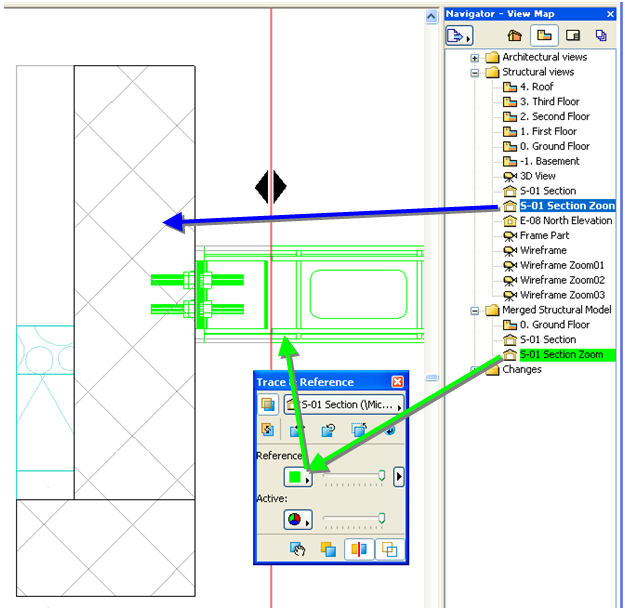
ArchiCAD views can also be used to differentiate elements of different disciplines. For example, create some views showing architectural elements, and other views that show the structural/mechanical elements only.
See Setting up a View.
If you activate an architectural view, you can then use the Trace & Reference feature to view a structural/mechanical view at the same time – differentiated by highlighting or colors, or splitting the views apart on screen.
For details on the Trace & Reference function see Virtual Trace: Using References to Edit and Compare Model Views and Drawings.