Exact Geometry Import
Since the introduction of priority-based connections and Building Materials, connecting elements automatically affect each other’s geometry based on their priority. As of ARCHICAD 19, users have the option to avoid this when importing an IFC model. This way, they can see the model exactly as it looked in the original authoring tool, and no auto-intersection is used.
•Imported IFC model space elements (IfcSpace) will always be generated as ARCHICAD Zones, which will always retain the imported elements’ original geometry
•Import functions (Open, Merge, etc.) ensure that the imported elements will always be displayed in their original colors
•Option to use Object or Morph tool to generate imported building, MEP or other element
•New IFC translator for “Exact Geometry Import” is provided in the template
Attribute Handling for IFC Import
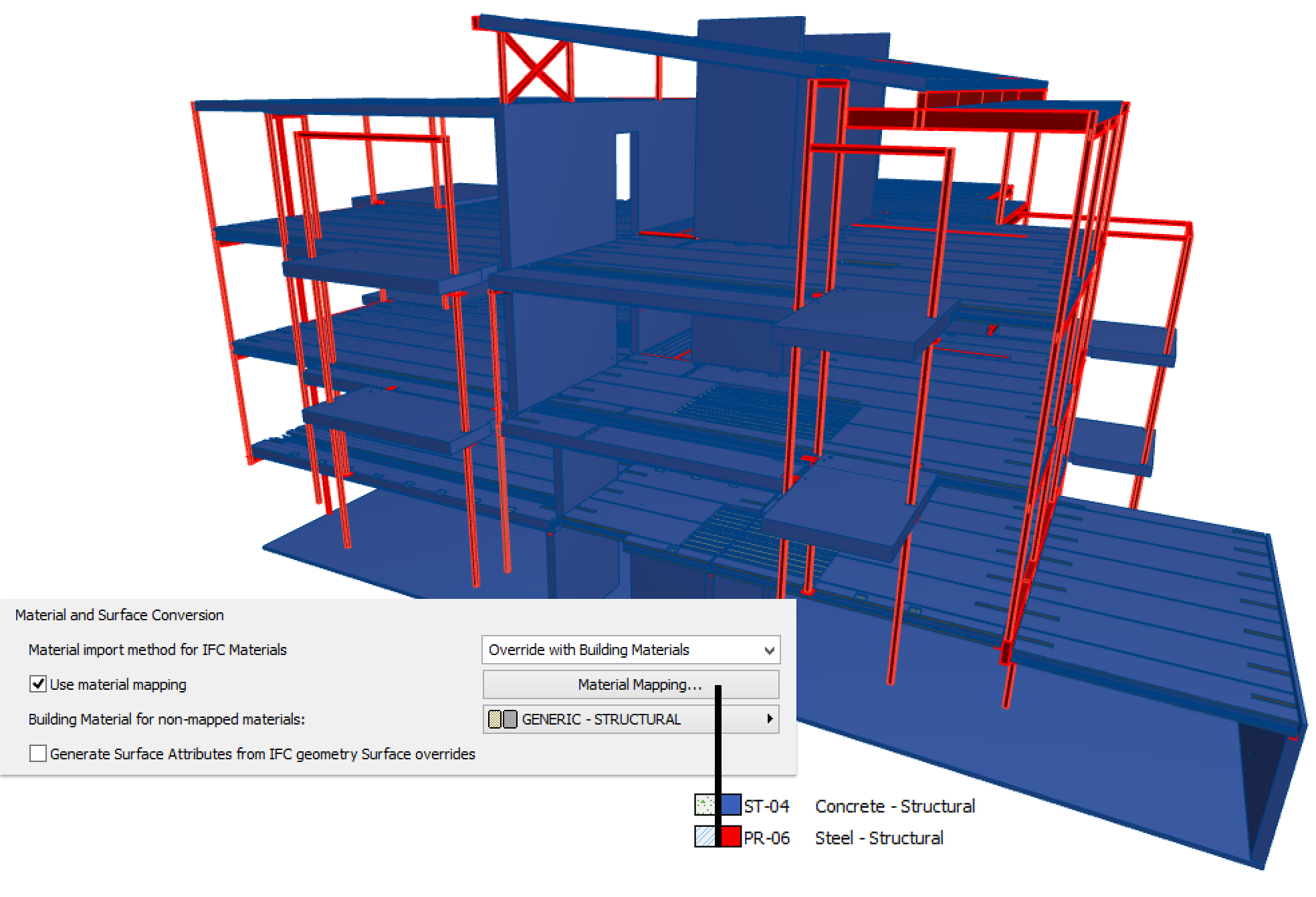
•Ability to override materials and representation styles of IFC model elements with preset Building Material and Surface Attributes. This will lead to much cleaner project files, because the IFC model’s attribute set won’t be recreated unnecessarily.
•Intelligent template for converting IFC Materials to Building Materials: the list of mapped IFC materials can be easily expanded based on IFC file content.
In this example, the Material and Surface Conversion overrides the original materials and surfaces of the imported IFC model, with concrete elements in blue and steel elements in red.
ID Management of IFC Spatial Elements
Smart ID assignment is now available in ARCHICAD’s Project Info fields for Project ID, Site ID and Building ID.
You can use keywords added to the Project ID, Site ID and Building ID fields to control whether the IFC spatial elements (IFC Project, IFC Site, IFC Building) are assigned identical or different GlobalID values - even if they are located in projects created with a single template.
For example, you can ensure that two buildings located on a single site will have different GlobalID values.
Improved Import of MEP Models
When importing MEP elements, ARCHICAD now optimizes the management of shared geometry. As a result, the import will produce fewer geometric elements (in the case of Morphs) and fewer Library Parts (in case of Objects).
In ARCHICAD’s MEP Modeler environment (an optional add-on), the program
•can convert MEP Modeler-type elements from all MEP elements of an imported IFC model, and
•can automatically detect and calculate an insulation parameter (where needed) for imported pipe and duct items.
MEP elements will be imported with their original color.
Update with IFC Model
The “Update with IFC Model” command has been expanded with new and customizable functions. Choose your preferred option:
•Generate only the new properties
•Update the existing properties with any changes
•Delete unused properties from the ARCHICAD project
•Do a total update using all three of the above options
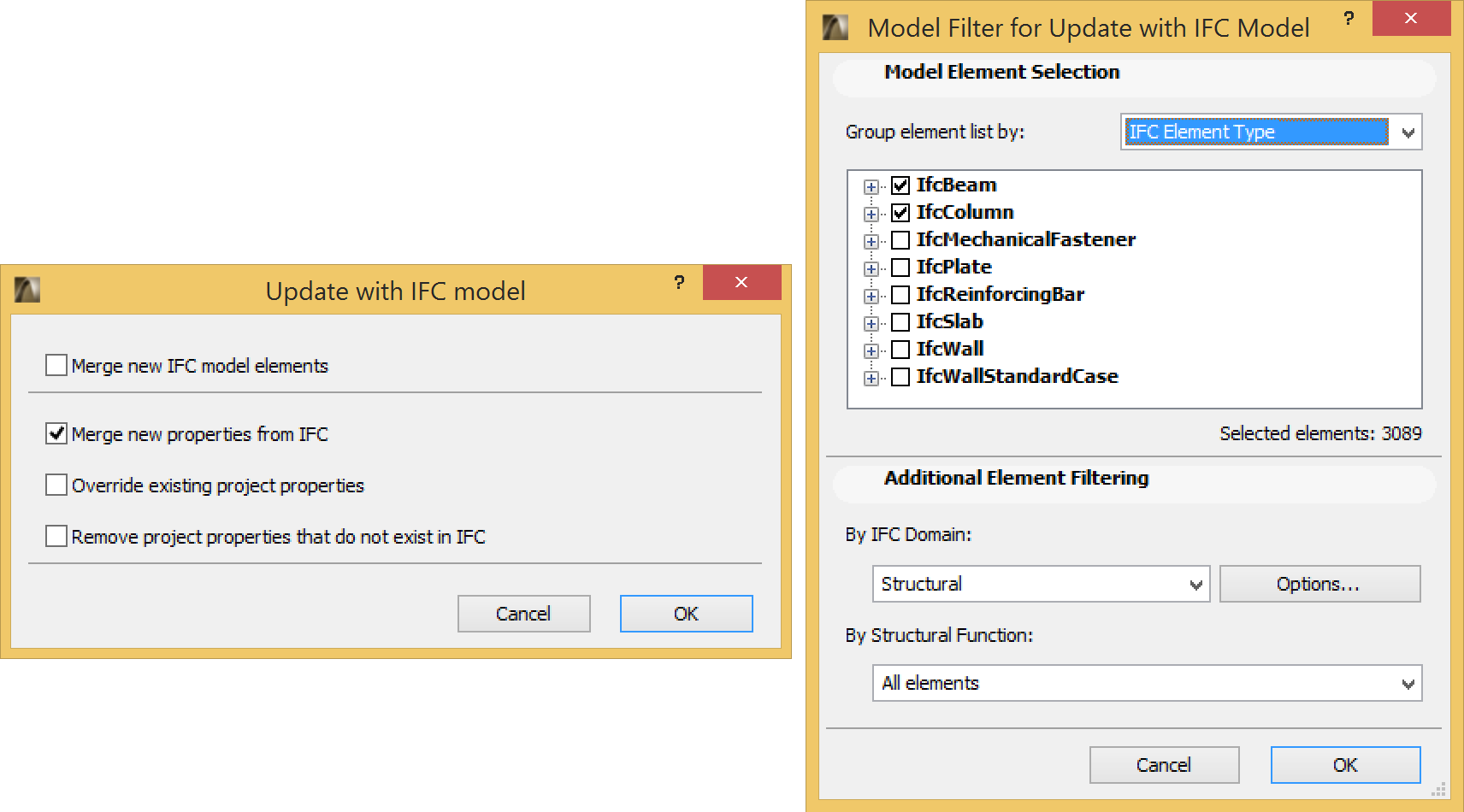
In addition, you can use the Model Filter option to set which element types’ properties (e.g. just the columns, or just the elements on a particular story) should participate in the update.
In this example, the update process adds the new properties of Beams and Columns, which are found both in the IFC model and the current ARCHICAD project.
Streamlined IFC data mapping of Library Part Parameters
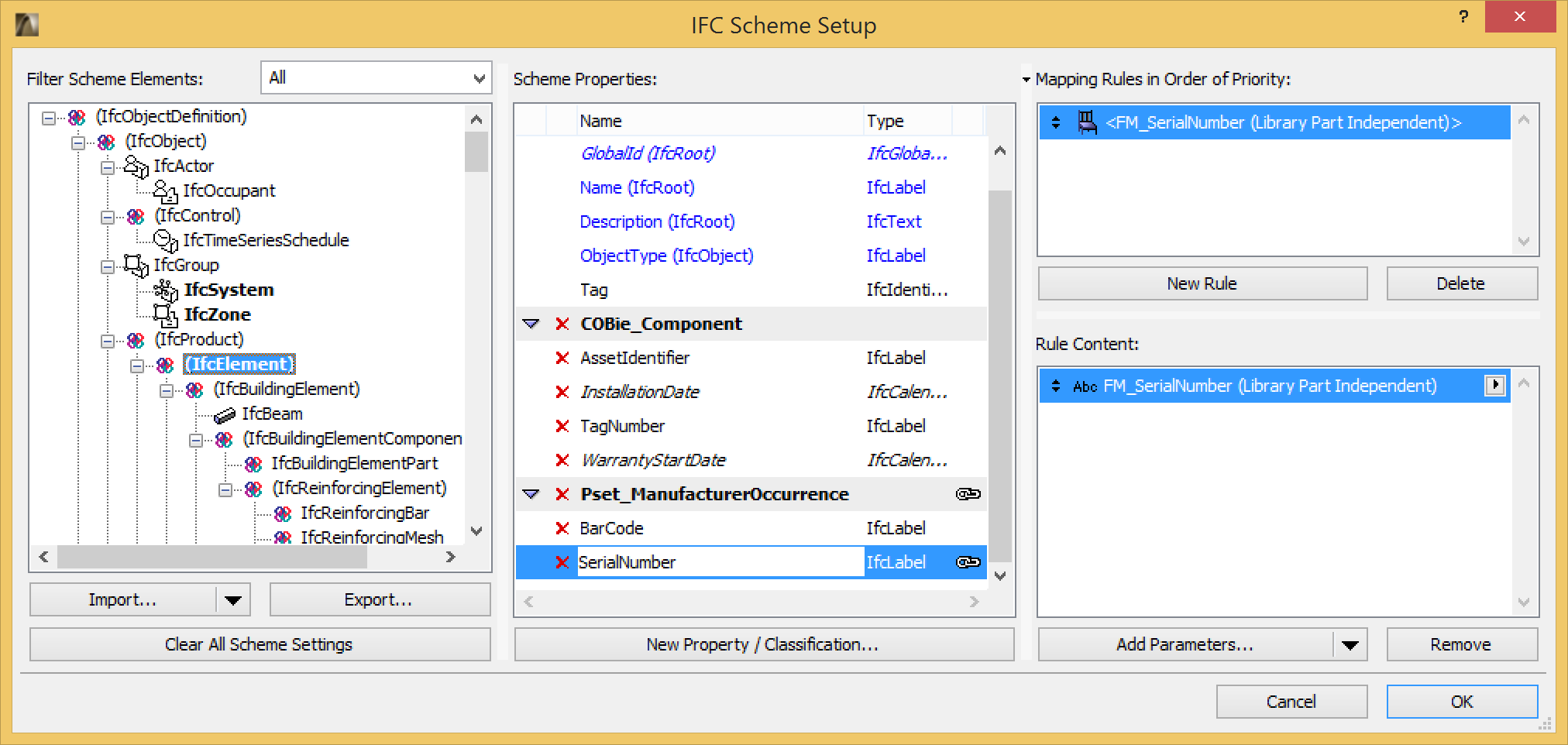
New option in IFC Scheme Setup: if a particular parameter is common to several Library Part elements, you can map its corresponding IFC data in just one step.
In this example, the “FM_SerialNumber” parameter is mapped to the “SerialNumber” IFC property as Library Part Independent. This means that any IFC element that is generated by a Library Part (Window, Door, Object, etc.) is assigned the value of this parameter, provided that the element includes this “FM_SerialNumber” parameter.
Export IFC Data to BIMx
You can control which element information will be published as part of your Hyper-model, to be viewed in BIMx apps on mobile devices.
One option is to export each element’s IFC properties, as defined in the Tags and Categories panel of its Element Settings dialog box.
See also BIMx Export Improvement in this document.
Improved IFC Performance
Faster IFC data handling in IFC Manager.
API IFC Improvements
Add-Ons developed for ARCHICAD can now, in runtime, assign IFC attribute, property and classification data to elements and product types.
This feature also allows the Add-Ons to define mapping between their custom data and IFC data with simple and complex rules.