
Switching among different open windows is now easier and faster than ever! ARCHICAD 19 introduces the Tab Bar, placing any number of opened windows at your disposal. The design is specific to each OS.
Tab Bar on Windows

Tab Bar on Mac
•Switch among model windows faster: Tab Bar takes advantage of background processing, introduced in ARCHICAD 19
•To open more model windows, use the new pop-up navigator from the Tab Bar - faster navigation without the Navigator Palette
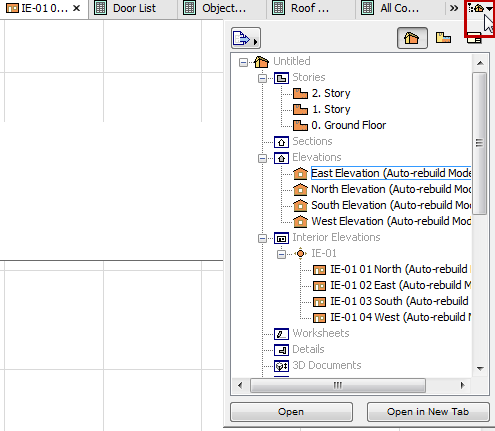
Pop-up Navigator for Easy Switching
•Each tab has relevant context menu commands enabling quick access to related views or settings
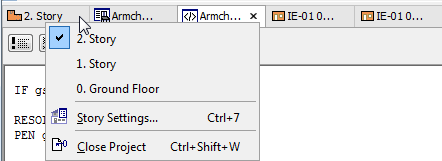
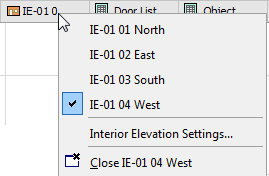
Story Tab: Open any other story IE Tab: Open another IE from the group
•Picture window tab provides feedback on background rendering progress (CineRender only)


•Tab icon will indicate whether it’s a view (yellow) or viewpoint (orange) and if the view does not match the current settings (warning icon)
•Double-click the tab (or use tab’s context menu) to restore the view’s saved status
For more details, see Tab Bar in the ARCHICAD Reference Guide.