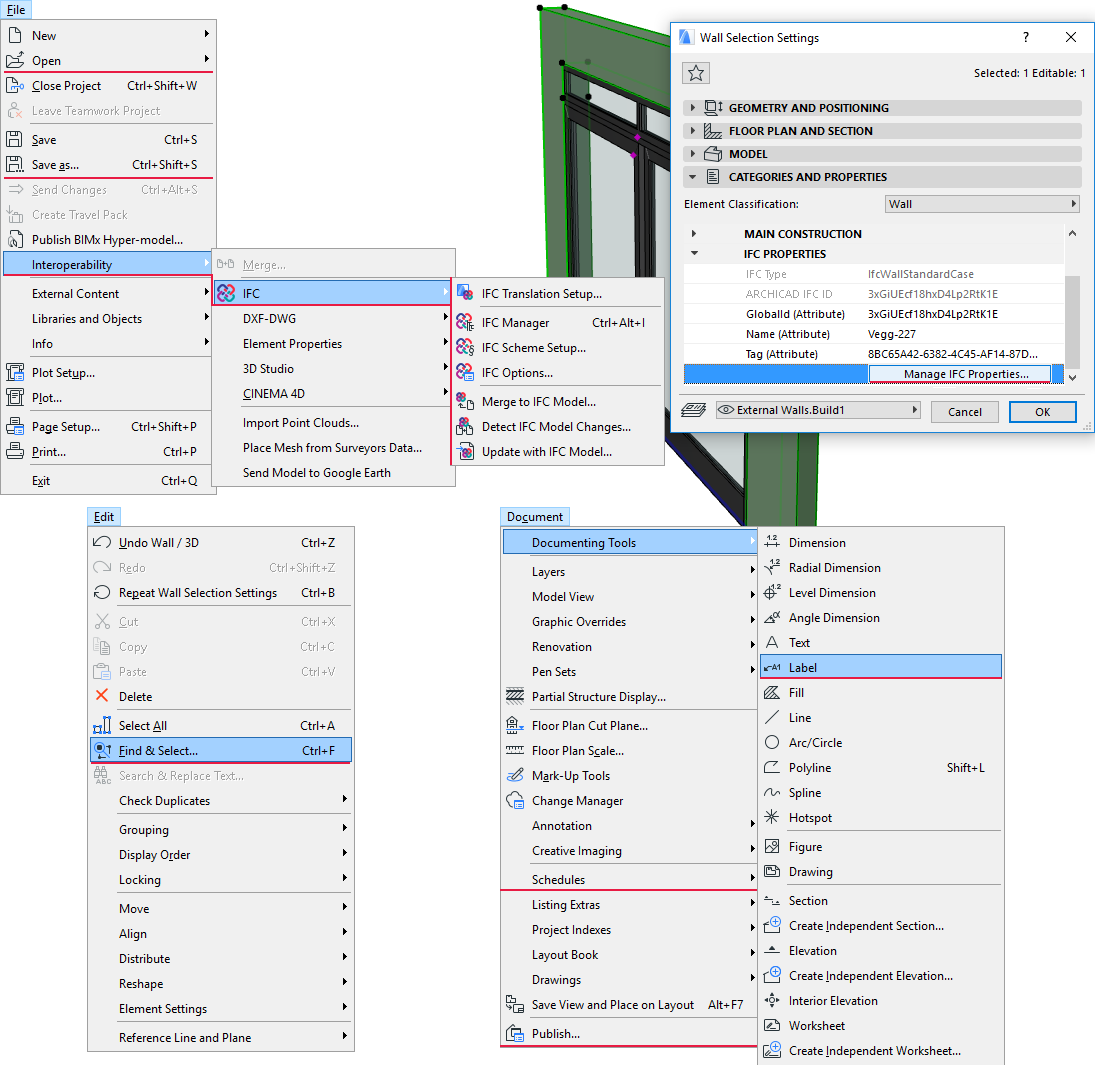
The following is a summary of the commands and functions that are affected by the management of the IFC model and data (in the event that the IFC Add-On has been installed).
Note: To handle IFC, the IFC Add-On is automatically inserted into the ARCHICAD environment during ARCHICAD installation. The IFC add-on is updated with each ARCHICAD Hotfix. Check the latest Hotfix at: http://www.graphisoft.com/support.
IFC Data Handling
•IFC Manager (File > Interoperability > IFC)
•Manage IFC Properties (Element Settings dialog box > Categories and Properties panel > IFC Properties)
•IFC Scheme Setup (File > Interoperability > IFC)
•IFC Options (File > Interoperability > IFC)
•Find & Select (Edit menu)
•Schedules and Lists (Document menu)
•Zone Stamp (Design > Design Tools > Zone)
•Labels (Document > Documenting Tools)
IFC Export Functions
•Save as (File menu)
•Merge to IFC Model (File > Interoperability > IFC)
•Publish (Document menu)
See Export Functions.
IFC Import Functions
•Open (File Menu)
•Merge (File > Interoperability)
•Update with IFC Model (File > Interoperability > IFC)
See Import Functions.
Change Detection
•Detect IFC Model Changes (File > Interoperability > IFC)
See Change Detection.
Collision Detection
•Detect Collisions (Design > MEP Modeling; in MEP Modeler environment)
See Collision Detection.
Import/Export Settings
•IFC Translation Setup (File > Interoperability > IFC)
•Model Filter (at both import and export functions)
See Model Filter.