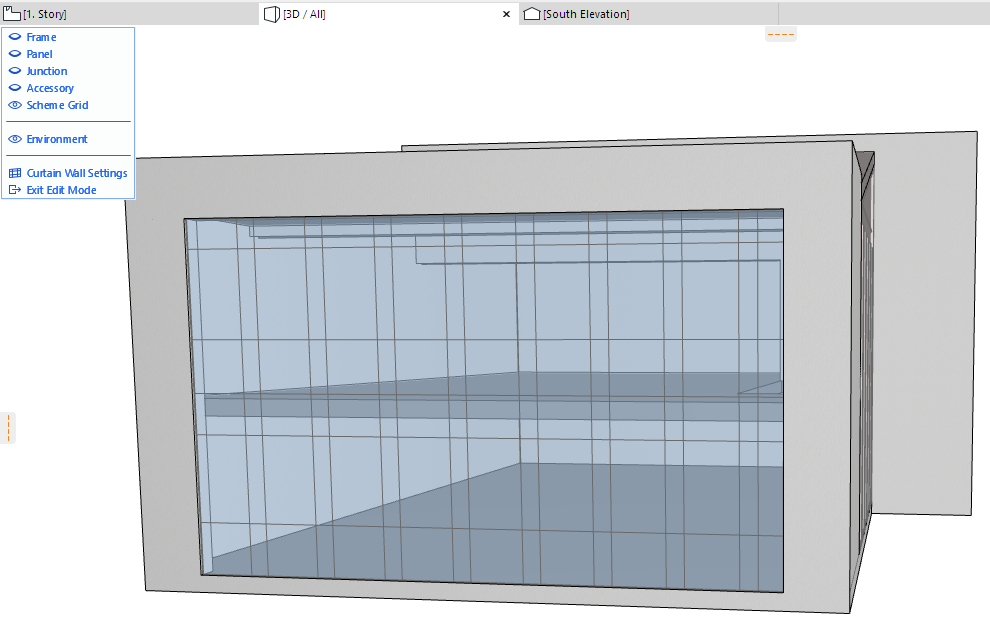
1.Select the Curtain Wall and enter Curtain Wall Edit mode.
2.Since the Boundary is part of the Scheme, make sure that Scheme visibility in Edit mode is switched to On. In this example, we have turned the visibility of all other Curtain Wall components Off, except for the Environment.
3.Select the Scheme. Notice that the Boundary is indicated by a heavier line, compared to the grid lines.
Alternatively, select the Boundary only (without the Grid Lines) by simply clicking anywhere on the Boundary with the Mercedes cursor.
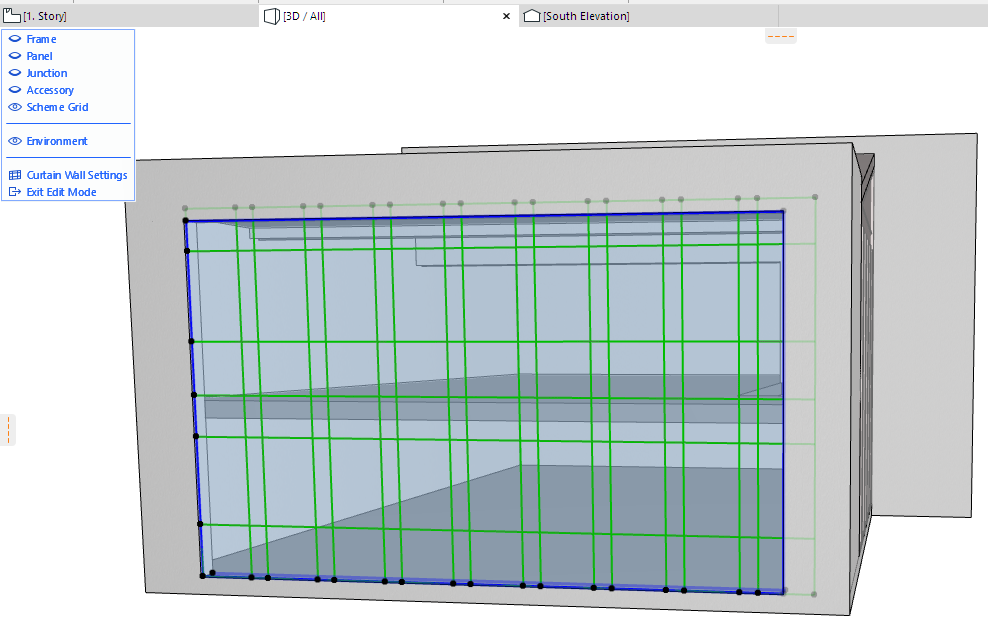
4.Click along the Boundary to bring up the Pet Palette, with its polygon or node editing commands.
5.Edit the Boundary as needed.
See Reshaping Polygons and Chained Elements.
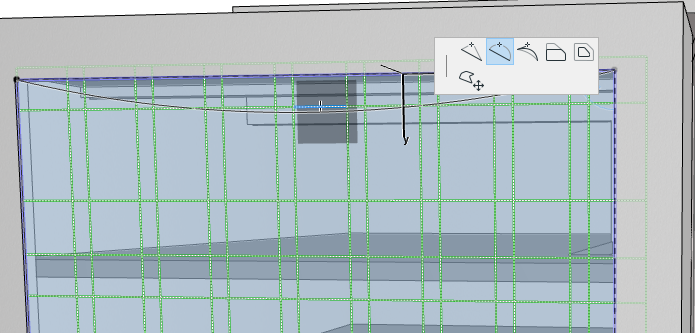
6.Switch on the Frames and Panels, and switch off the Scheme, to see the new shape of your Curtain Wall.