Display custom text for zeros or missing values
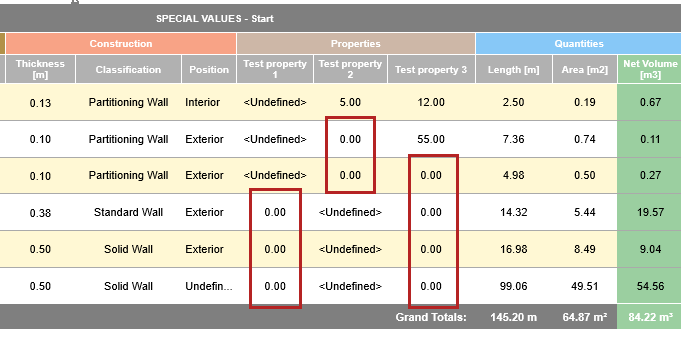
Some fields may calculate a zero value in the schedule.
A displayed “zero” result can take many forms (0, or 0.00), but must consist of only numerical characters and/or decimals.
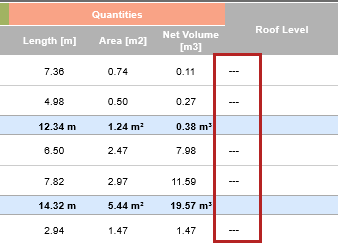
Some results may be shown as missing or not evaluated (“---”) - for example if a field cannot be evaluated for that model element, or if the listed property is not available for an element’s classification.
The “not evaluated” field is displayed as “---” in the Interactive Schedule.
Customize Results
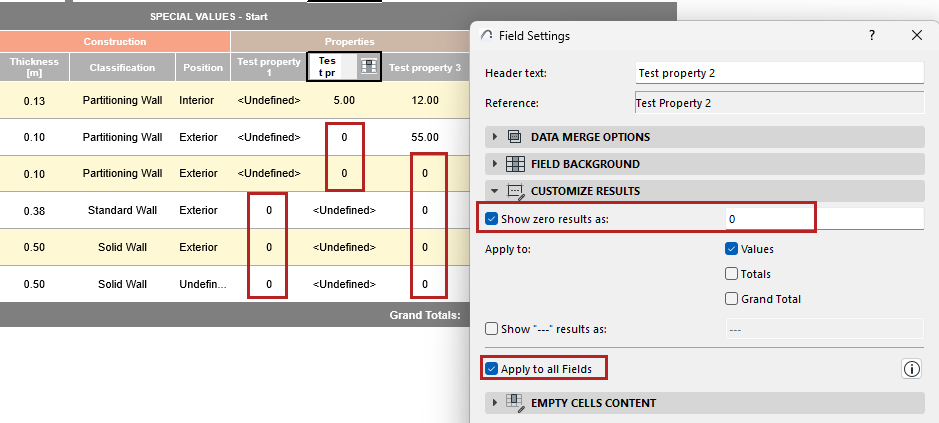
You have the option of customizing these displayed zero or “not evaluated” results either at the field level, or for all similar fields in the entire schedule.
1.For the field that displays a zero or “not evaluated” value: Open Field Settings:
• Click the Field icon from inside the cell, or the Field Settings button at the top of the schedule
2.Use the Customize Results panel to choose how to display the results. Type anything, or leave it blank to hide these results.
3.Apply the customization to Values, Totals, and/or Grand Totals for this field.
4.Optionally, apply the customization to all relevant fields in the schedule: Apply to all Fields

See also Custom text for empty “Total” fields.